Home·Apps·Bootsschein
The official question catalog is freely available — except every question lists the correct answer in first place. Not in the exam. This app shuffles the answers, sets you real exam papers, and shows you both passing thresholds separately.
Practice like the exam, not like the PDF
The app presents the 585 official exam questions exactly as they appear in the exam: with shuffled answers. That way you learn the answer text — not the position.
That's the key difference from the official PDF. On page 1, it says in red letters:
"In this catalog, answer a is always the correct one."
Alongside free practice by topic, the 15 real exam papers are built into the app — with the same mix of 7 core questions and 23 specific questions that's officially defined. A clock runs alongside so you know whether the time is enough.
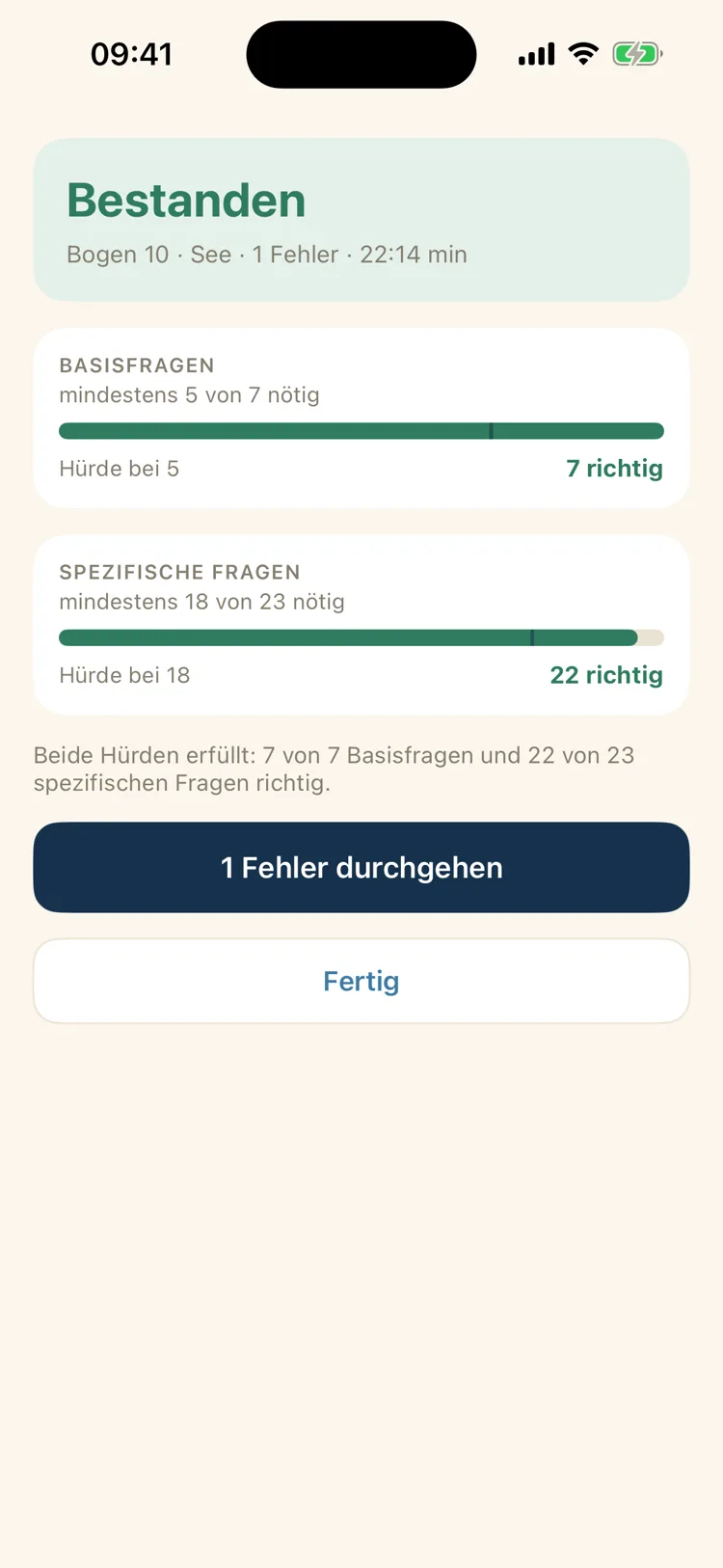
After you submit, the scoring view doesn't show a single percentage — it shows both passing thresholds separately: core questions and specific questions. That's exactly how the real exam is scored.
Whatever you got wrong goes into the mistake log. That way, next time you practice exactly the questions that haven't clicked yet.
27 out of 30 right — and still failed
This is the rule that trips people up without them ever having heard of it. A paper only counts as passed if both hurdles are cleared:
| Section | Questions | Correct needed |
|---|
| Core section | 7 | at least 5 |
| Specific section | 23 | at least 18 |
Both thresholds count separately. If you get 27 of 30 questions right but three of the wrong ones are in the core section, you fail — even though 90 percent is correct. Conversely, a lower overall score can still pass if the mistakes fall in the right place.
That's why the app's scoring view doesn't show one single percentage, but two separate bars, each with a marker at its own threshold — plus a sentence on how many answers were missing in which section.
How long does the exam take?
| Exam | Questions | Time |
|---|
| SBF See (coastal) | 30 | 60 minutes |
| SBF Binnen (inland) | 30 | 45 minutes |
| SBF See, if you already hold SBF Binnen | 23 | 50 minutes |
| SBF Binnen, if you already hold SBF See | 23 | 35 minutes |
If you already hold the other German recreational boating licence, you don't write the core section again — the seven core questions are the same in both exams. The app switches this via a setting and reduces both the number of questions and the time accordingly.
One limitation worth knowing: for SBF See, the 60 minutes cover the question paper and the navigation task together. If you use the whole hour on the questions, there's no time left for the chart. The app points this out on the first question.
How it works
1
Tell it what you're studying for
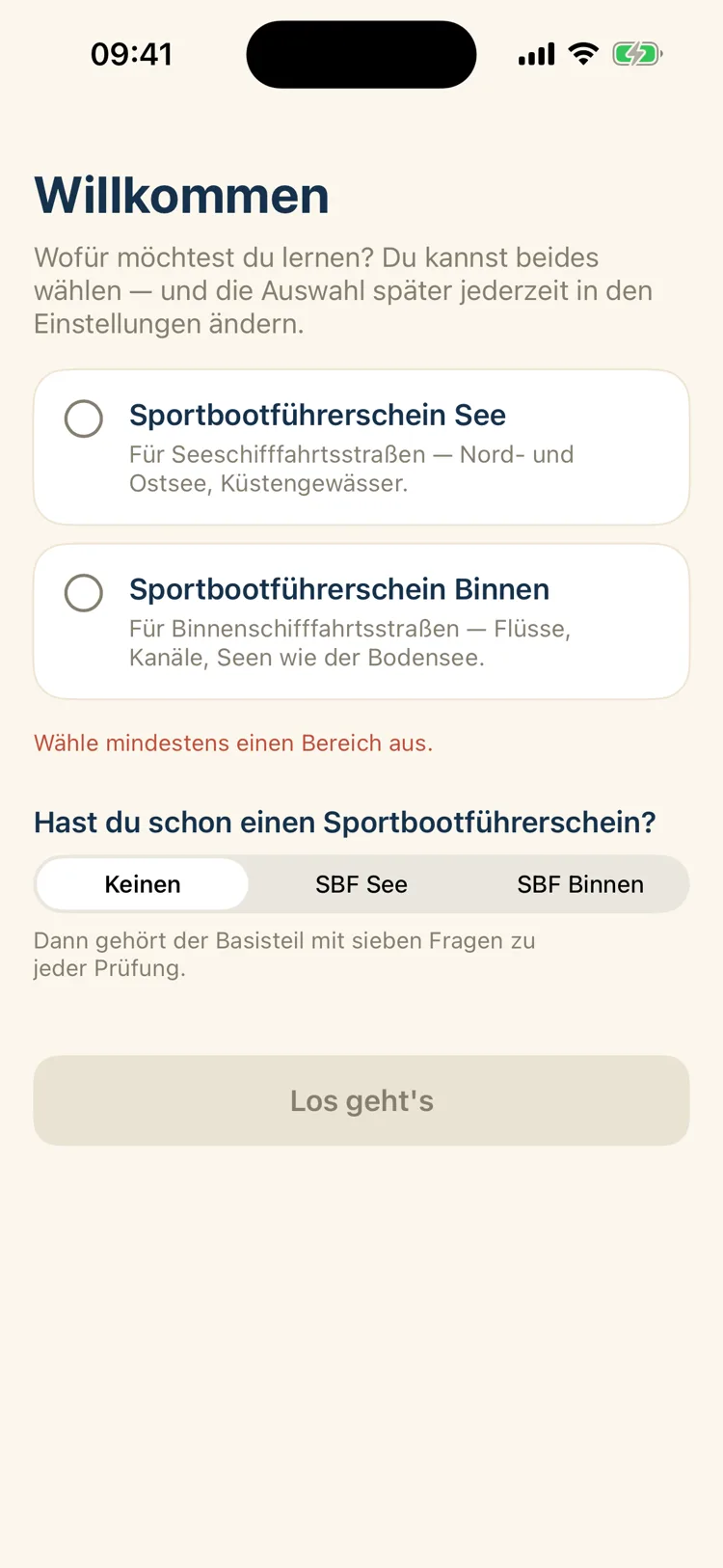
No sign-up, no account. At first launch, the app only asks two things: which licence you're studying for — See, Binnen, or both — and whether you already hold one.
The second question decides whether the core section gets practiced too. Both can be changed later in Settings.
2
The home screen tells you what's next
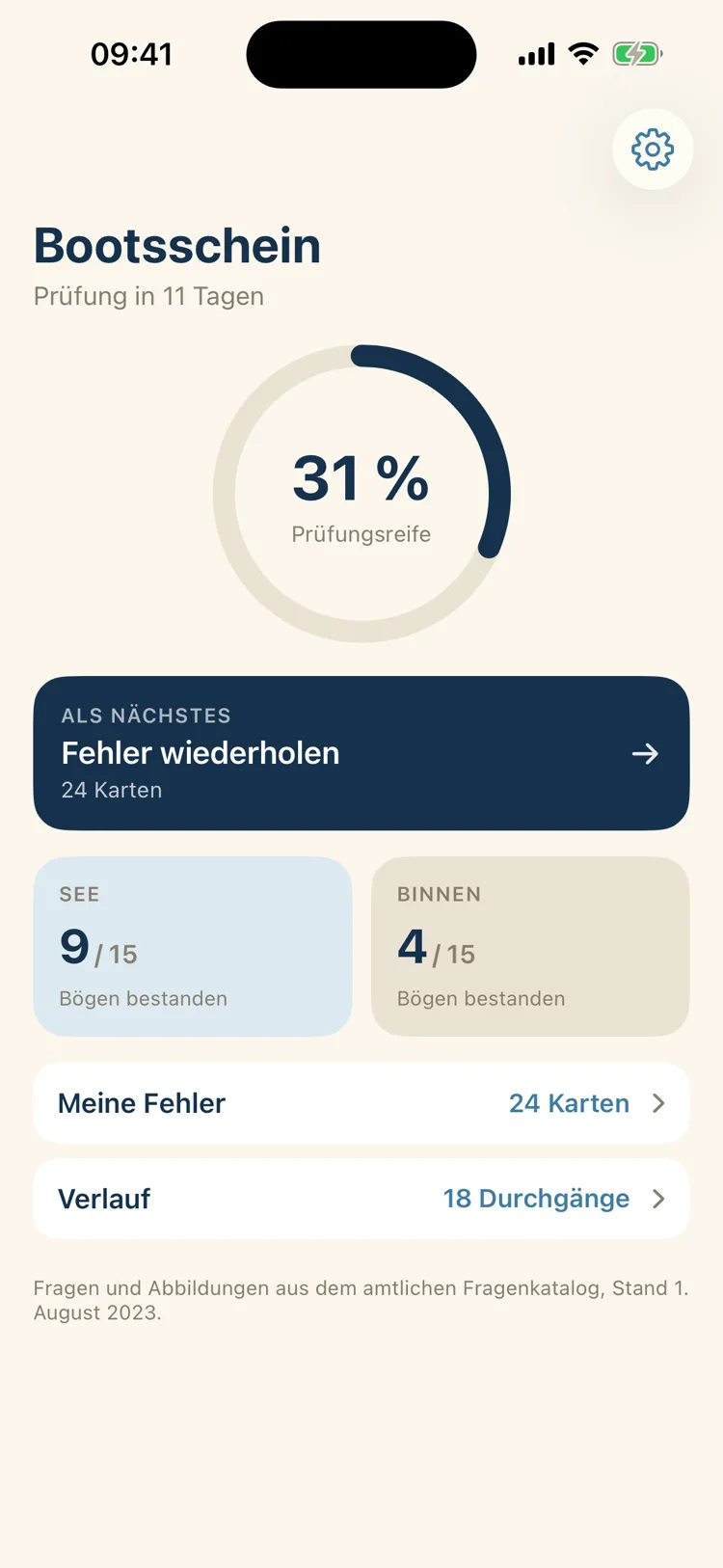
In the center sits your exam readiness as a ring — calculated from the papers you've passed, minus a deduction for open mistake cards. Below it, a concrete suggestion, like "Review mistakes".
The two tiles show your standing per category ("9 of 15 papers passed"). If you enter your exam date, the number of days remaining shows up top.
3
Study by topic when time is short
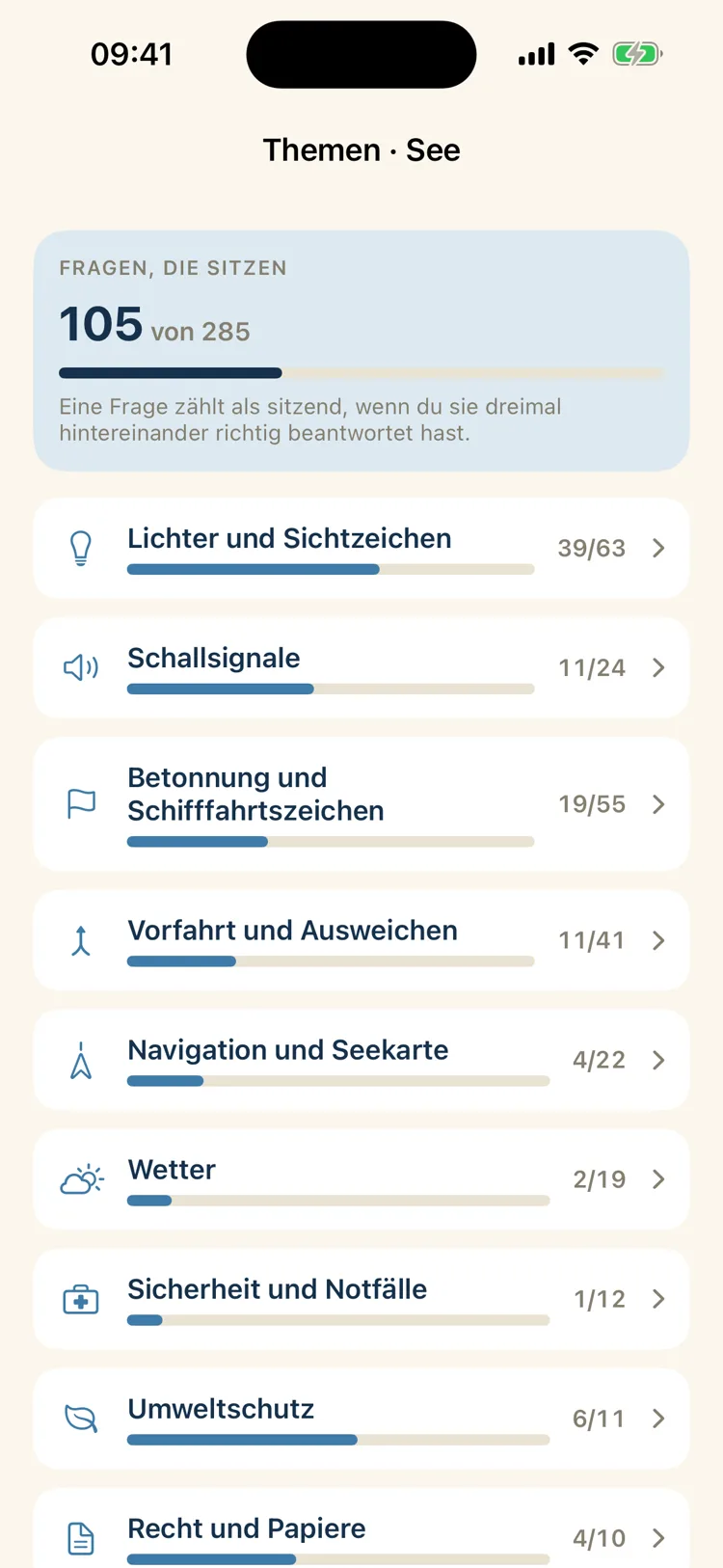
Twelve topics with their own progress — from Lights and Shapes with 63 questions to Seamanship and Maneuvers. Each round brings up to 20 questions, with instant feedback after every answer.
A question only counts as learned once it's been answered correctly three times in a row. One lucky guess doesn't count; a wrong answer resets the counter.
4
Take a real paper under time pressure
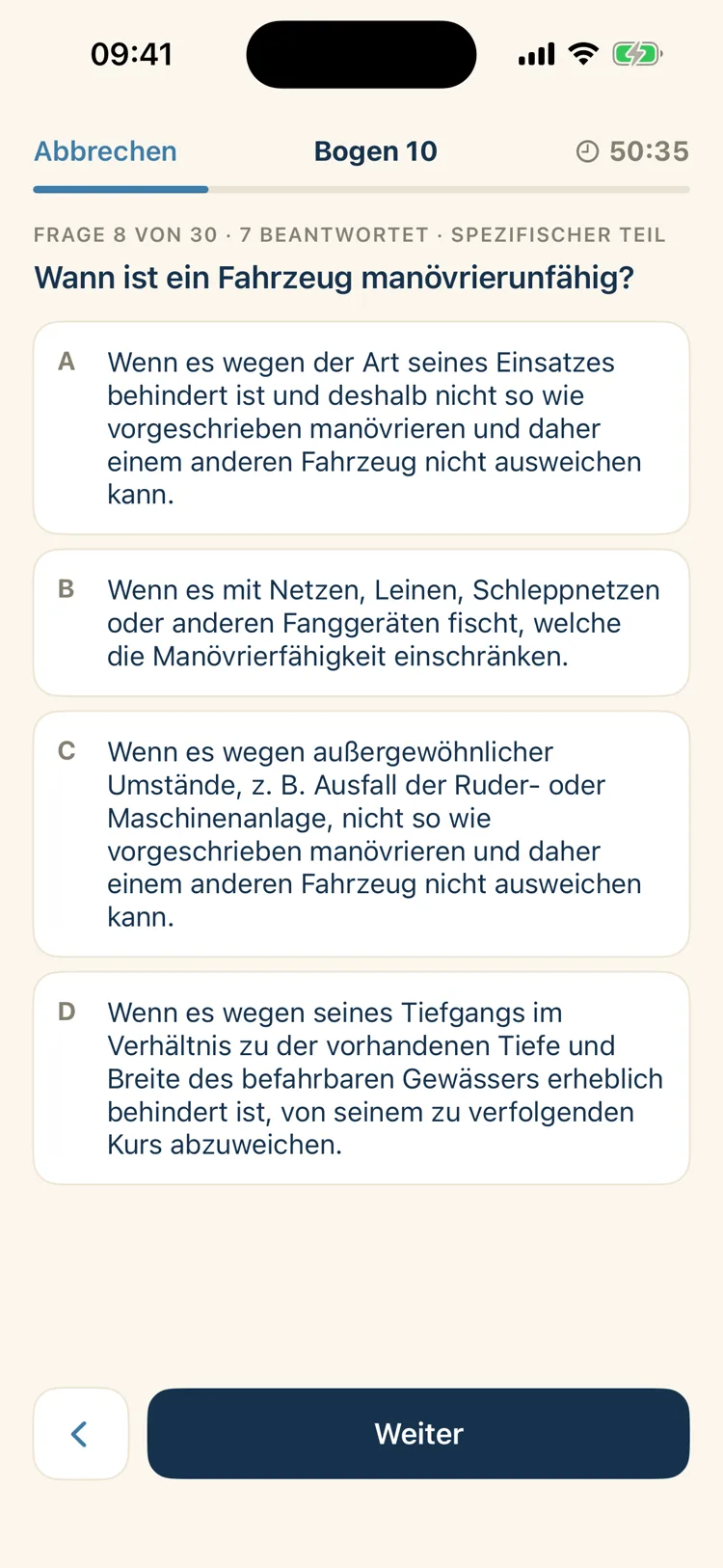
A clock counts down at the top, alongside which question you're on and how many you've answered — plus whether you're currently in the core or the specific section.
There's no feedback here: just like in the real exam, you only find out what was correct at the end. If time runs out, the app submits the paper itself and notes that it did.
5
The scoring view shows both thresholds
At the top: passed or failed, followed by the paper, category, number of mistakes and duration. Then the two separate bars, each with a marker at its threshold.
From there, you go straight into reviewing your mistakes. Every submitted paper stays fully reviewable — and with the answer order from that attempt, so reviewing it doesn't re-imprint the position again.
What's included
The catalog as of August 1, 2023, complete and with all diagrams:
| Category | Core questions | Specific | Total |
|---|
| SBF See (coastal) | 72 | 213 | 285 |
| SBF Binnen (inland) | 72 | 181 | 253 |
Plus 154 diagrams — light configurations, day shapes, sound signals and traffic signs. The core questions are the same in both categories, so they're skipped for your second licence.
Each category comes with the 15 official exam papers of 30 questions each. In the real exam, you get exactly one of them. The exam simulation picks one at random and only reveals which one in the scoring view — just like you wouldn't know beforehand either.
The twelve topics in study mode are not an official breakdown. The catalog has no topics; this grouping was created for the app so you can study in a targeted way instead of going through everything at once.
What isn't included yet
The navigation tasks for the SBF See licence and the knots from the practical exam are not included in this version.
This is important enough for its own paragraph: the navigation task is part of the SBF See exam. It comprises nine questions, at least seven of which must be correct, and it's solved on a practice chart from the German Federal Maritime and Hydrographic Agency. If you study only with this app, you'll pass the question paper and fail the chart part.
The reason for the gap is copyright: the practice chart is sold and protected, so a chart excerpt couldn't be included in the app. A dedicated chart based on open data is planned for a future update. Also missing are the questions for the SBF Binnen under sail exam — the app covers the exam under engine power.
Who can take the exam
The minimum age is 16 for the recreational boating licence under engine power, and 14 for SBF Binnen under sail. There's no upper age limit.
You'll need to bring an ID document, a medical certificate for vision and hearing, and proof of reliability — a certificate of good conduct or a driver's license; the certificate of good conduct is not required under 18. Documents and the fee must be submitted to the examination board at least seven days before the appointment. The fee amount is set annually by the examination organizations themselves.
What sets this app apart
Answers are shuffled evenly
Not just randomly: the correct answer rotates through all four positions so it doesn't cluster on one spot by chance. Within a single round, the order stays fixed, so nothing jumps around when you page back.
Reviewing with the order from that attempt
A technical detail with a real reason behind it: if a saved paper were later shown in catalog order, the correct answer would land back on top — and reviewing it would imprint exactly the wrong thing.
Three times correct, or it doesn't count
Both in topic mode and in the mistake log, a question only counts as learned after three correct answers in a row.
Study anywhere
The app works fully offline: all questions and diagrams live in the app itself. On the train, on the boat, or in the waiting room — no signal needed.
Buy once, keep forever
An exam is a one-time event. That's why the exam papers are a one-time purchase instead of a running subscription.
What it costs
The download is free, and the free portion is substantial: the entire topic mode with all questions for your chosen category, the mistake log, the history, reviewing every past attempt, exam readiness, your exam date — and, per category, exam paper 1 in full, including scoring.
The remaining papers unlock through a one-time purchase:
| Purchase | Scope | Price |
|---|
| Seagoing | all 15 SBF See papers | €7.99 |
| Inland | all 15 SBF Binnen papers | €7.99 |
| Seagoing and Inland | all 30 papers | €10.99 |
No subscription, no recurring costs. Purchases are tied to your Apple ID and can be restored on additional devices on the same account. Billing runs entirely through Apple; refunds are also handled by Apple. There's no trial period — instead, the free scope described above stays free permanently.
What this app is not for
It doesn't explain the answers. It shows you which one is correct, but not why — that's what a textbook and boating school are for.
There's no syncing between devices: install the app on a second iPhone, and you start your learning progress from scratch. A paper in progress doesn't survive an app restart, since it's only saved once you submit. There's also no search across the questions, no widgets, no reminders and no dark mode.
The app runs exclusively on iPhone from iOS 17, only in portrait orientation and only in German. Not included are the catalogs for the sport coastal skipper's licence, the Lake Constance skipper's licence, or radio operator certificates.
This app is a private study aid. It's not an official offering, has no connection to any authority, and doesn't replace boating school. Passing the exam isn't guaranteed.
Questions and diagrams come unchanged from the official question and answer catalog for the German recreational boating licence, published by the Federal Ministry for Digital Affairs and Transport, announced in the Verkehrsblatt (as of August 1, 2023). The composition of the exam papers follows the announcement in the Verkehrsblatt 2012, page 224. The currently valid official version always takes precedence; no guarantee is given for completeness or currency.
Your data stays on your iPhone
All completed papers, results, the mistake log, your learning progress and any exam date you enter stay exclusively on your device.
Full details are in the Privacy Policy; the Terms of Use apply.