Home Products Apps About Contact Instructions
DE EN
Obolus app icon

App · Finance · Android

Obolus — Split Expenses

Split shared expenses fairly — for trips, roommates, couples and parties. You enter who paid and for whom, and Obolus works out who owes whom how much.

Get it on Google Play

Obolus splits shared expenses fairly: you enter who paid and for whom, and Obolus works out who owes whom how much — with as few transfers as possible. The app is available for Android on Google Play.

Add expenses together

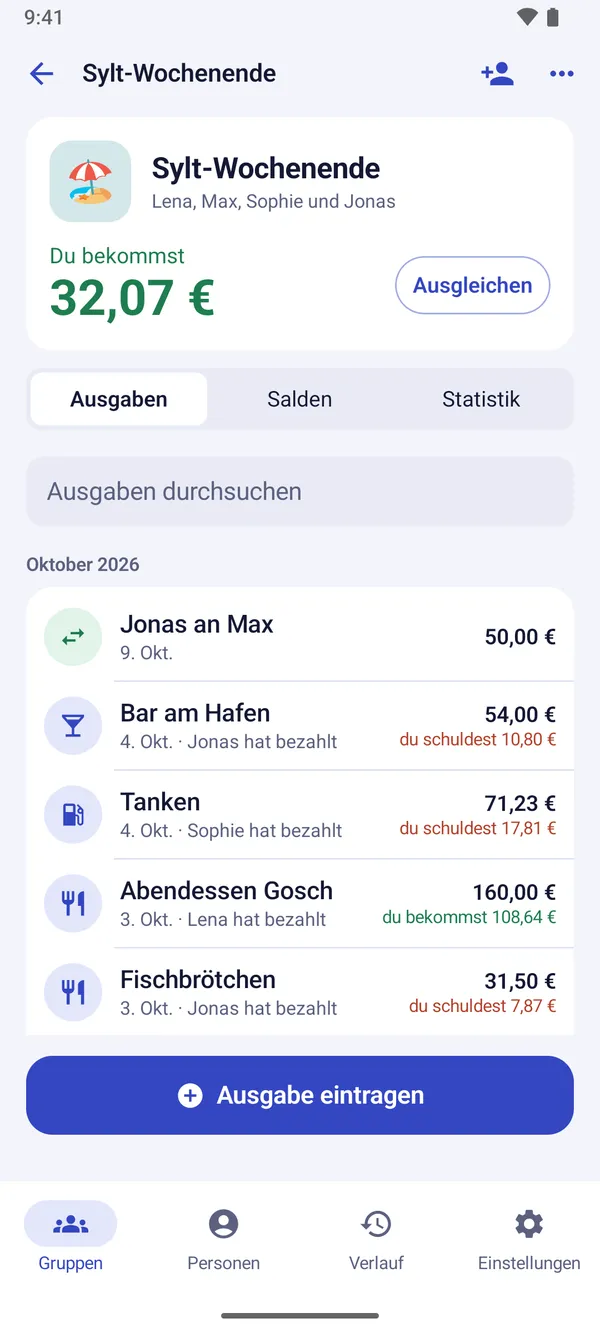
You invite your group by link or QR code. Whoever opens it joins and adds expenses themselves; everyone sees the same balance right away. Anyone without a phone simply stays a member, and you add expenses for them. Create as many groups and expenses as you like.

Split it the way it really was

  • Equally, by exact amounts, by percentages or by shares — plus adjustments for individuals.
  • Several payers per expense, when two people shared the bill.
  • Math in the amount field: type “12.50 + 7” and get the total.
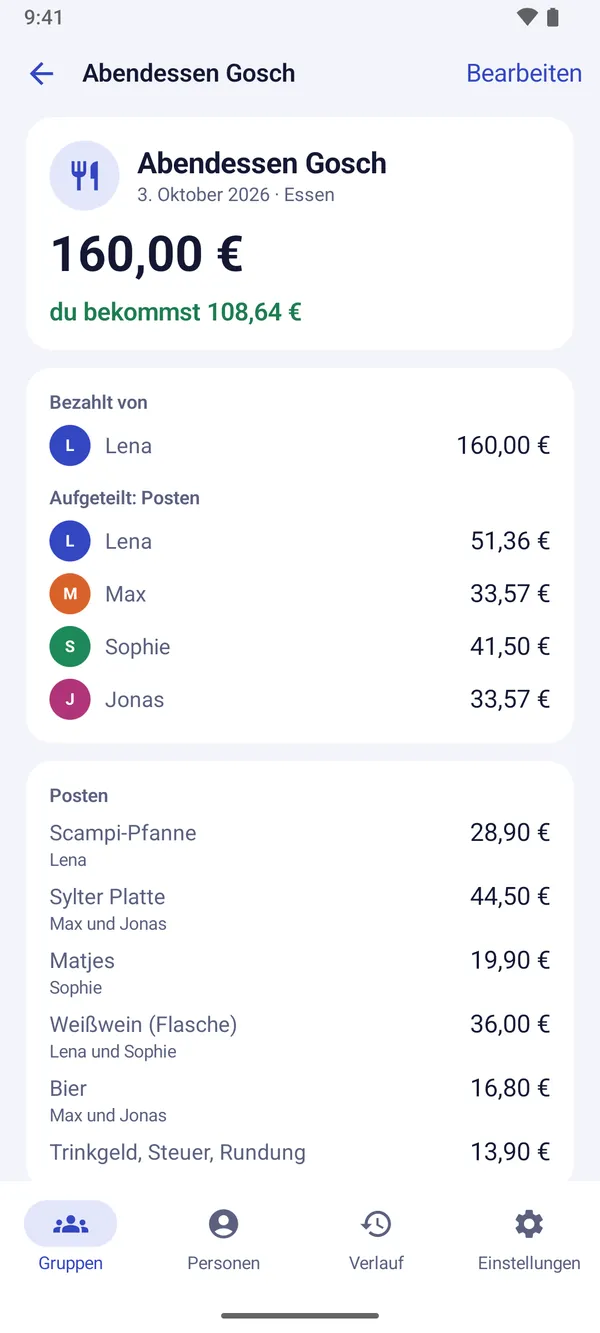
  • By item with Obolus Plus: everyone pays for their own pizza, all share the wine, and the tip is split proportionally — the app can scan the receipt for you.

Settle up fast

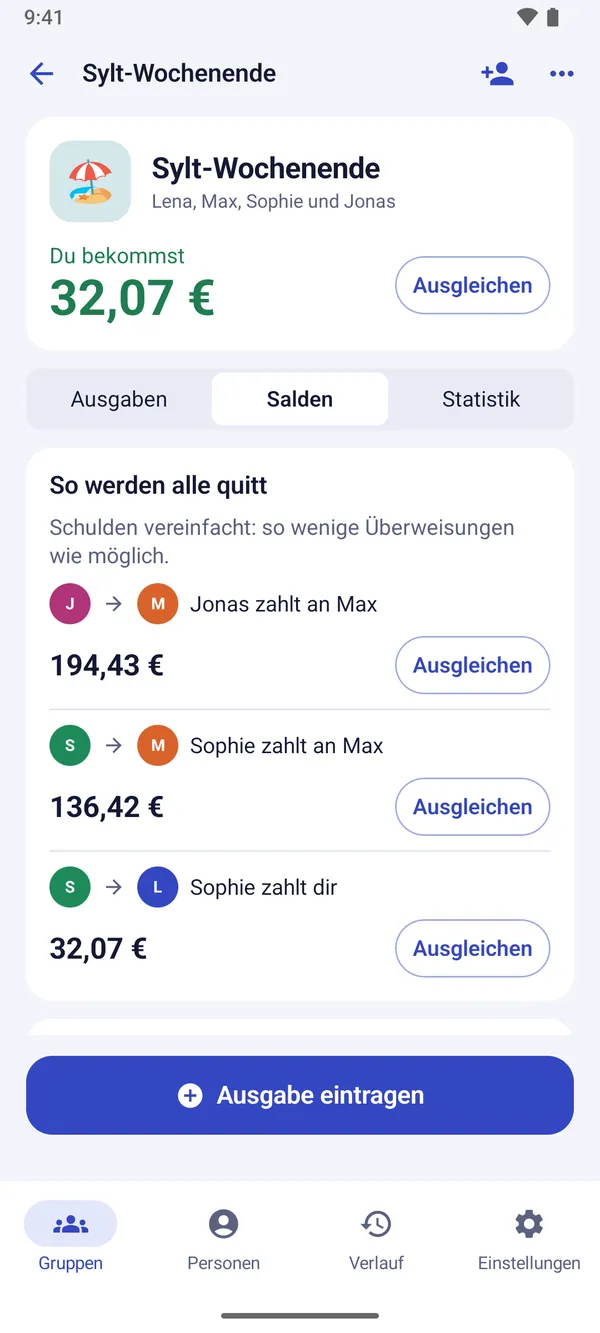
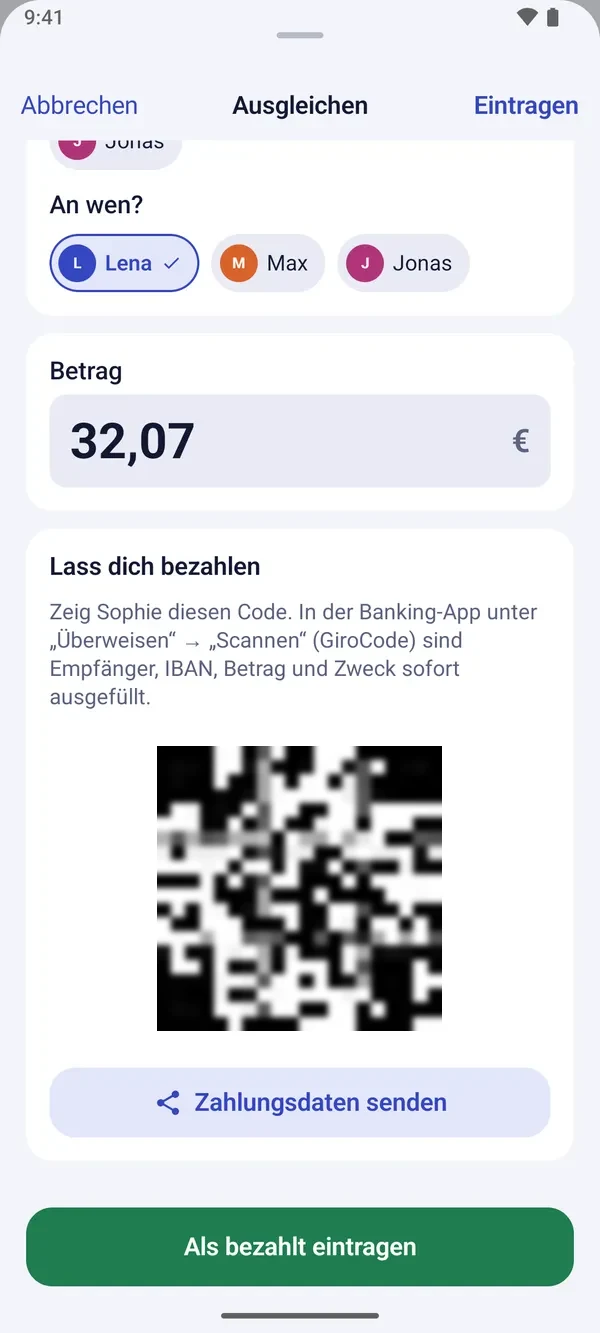
Obolus combines all debts and suggests as few transfers as possible. Whoever gets money shows a GiroCode: the other person scans it with their banking app, and the IBAN, amount and reference are already filled in. PayPal.Me links work too. Once a debt is paid, you mark it as paid.

Everything at a glance

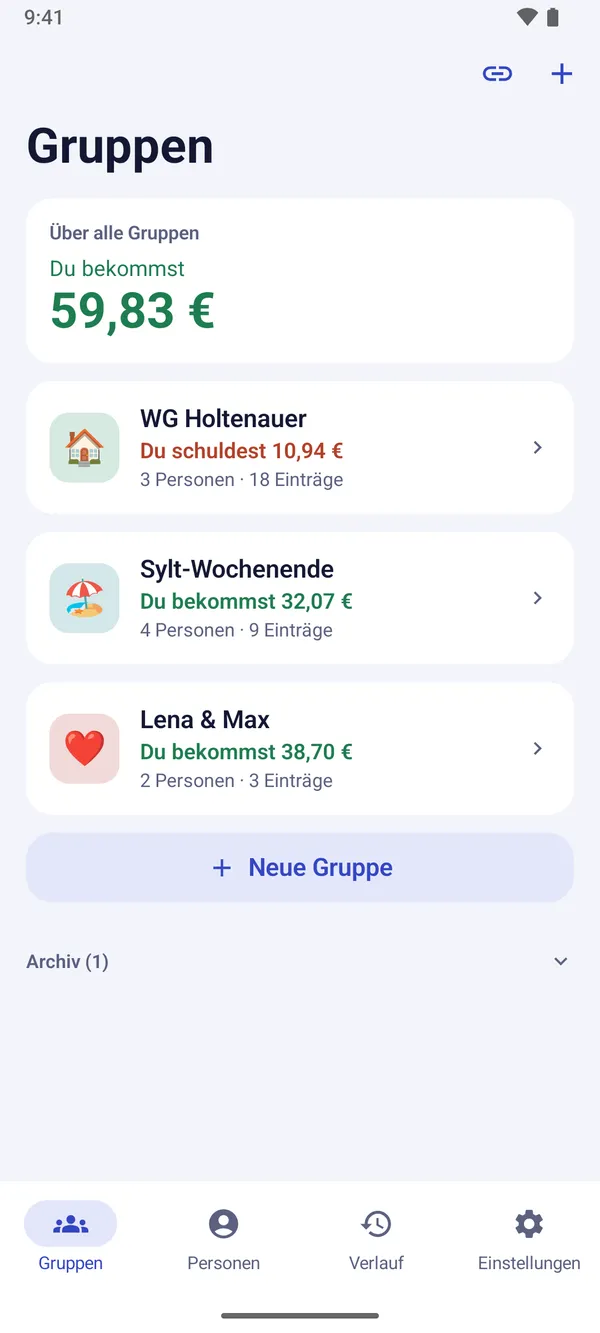
  • Your balance across all groups, per person and per group.
  • A history shows who added or changed what; deleted expenses can be restored.
  • Statements as text for the group chat, as a spreadsheet (CSV) or as a PDF — any time, at no extra cost.

Obolus Plus

For anyone who wants more, there's Obolus Plus — a yearly subscription for €3.99 with the first month free, or a one-time €7.99 for good (prices in Germany; they may differ in other countries). Plus adds:

  • Receipt scanning and splitting by item.
  • Expenses in any currency, converted at the European Central Bank's daily rate.
  • Spending breakdown: what for, who, when.
  • Recurring expenses such as rent and subscriptions.
  • Receipt photos on every expense.

The subscription renews automatically for another year unless canceled before it ends; you can cancel any time in the Play Store under “Payments & subscriptions”. When a subscription ends, everything you entered stays visible and exportable.

Requirements

Obolus runs on Android 8.0 or later and is available in English and German. Questions and suggestions: kontakt@brockdesign.de.

A Look at the App

Obolus: group overview with your balance across all groups Obolus: a group’s expenses with search and your share per expense Obolus: an expense split by item, with the tip shared proportionally Obolus: balances settled with as few transfers as possible Obolus: settling up with a GiroCode for the banking app

Tap a screenshot to enlarge it

Get it on Google Play

Frequently Asked Questions

How does Obolus work?

You enter who paid and for whom. Obolus works out who owes whom how much and suggests as few transfers as possible.

How do the others join the group?

By link or QR code. Whoever opens it joins the group and adds expenses themselves; everyone sees the same balance. Anyone without a phone simply stays a member, and you add expenses for them.

How can I split an expense?

Equally, by exact amounts, by percentages or by shares, each with adjustments. Several payers per expense are possible. With Obolus Plus you can also split by item, including by scanning the receipt.

How does the GiroCode work?

Whoever gets money shows the GiroCode. The other person scans it with their banking app, and the IBAN, amount and reference are already filled in. PayPal.Me links work too.

How much does Obolus Plus cost?

Obolus Plus is a yearly subscription for €3.99 with the first month free, or a one-time €7.99 for good (prices in Germany). Plus adds receipt scanning and splitting by item, foreign currencies, the spending breakdown, recurring expenses and receipt photos. When a subscription ends, everything you entered stays visible and exportable.

Which Android version does Obolus need?

Android 8.0 or later. You install the app from Google Play.

More Apps

All Apps at a Glance