Home·Apps·Gießtag
Instead of dozens of separate reminders, you water everything in one round: on one fixed day of the week, with the right amount for each plant, shown in the glass or watering can you already use.
How it works
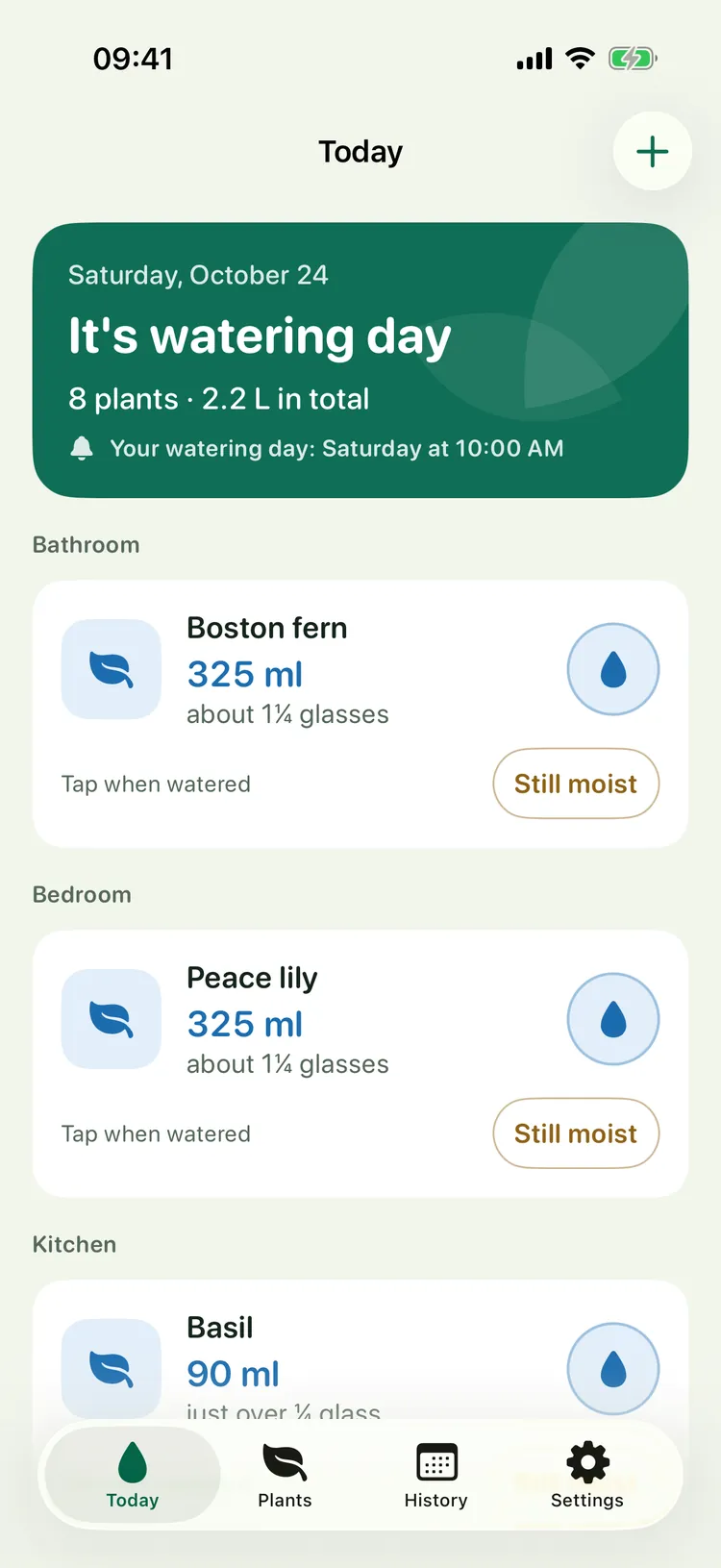
On watering day you get one notification for all plants, not one per plant. The Today screen shows how many plants are due and how much water you need in total.
Below, the plants are sorted by room, each with its amount in milliliters and in your own vessel, such as “about 1¼ glasses”.
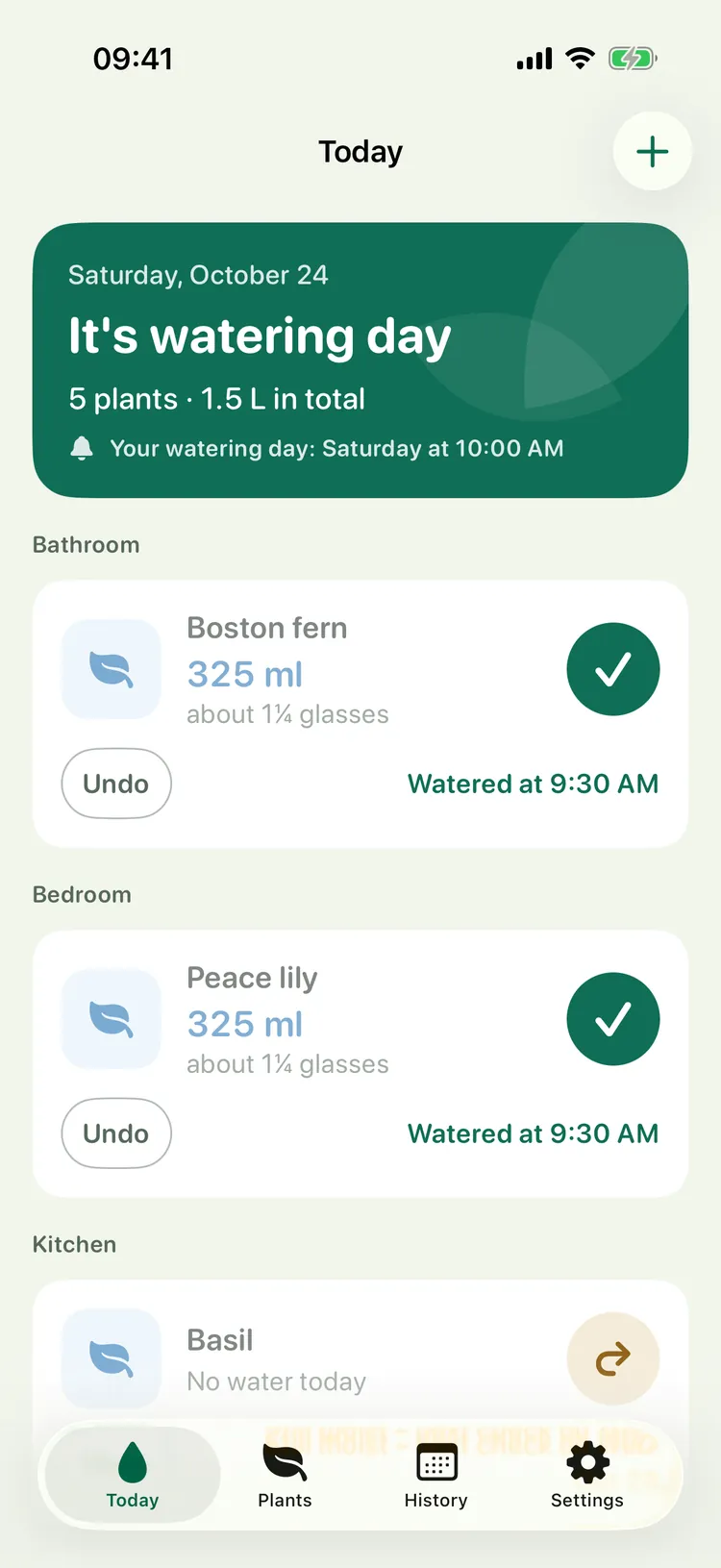
In the watering round you tap each plant as soon as it has its water. The whole row is the button, so it works with the watering can in your other hand.
The order stays put, so nothing slides under your finger. Tapped the wrong one? “Undo” takes it back.
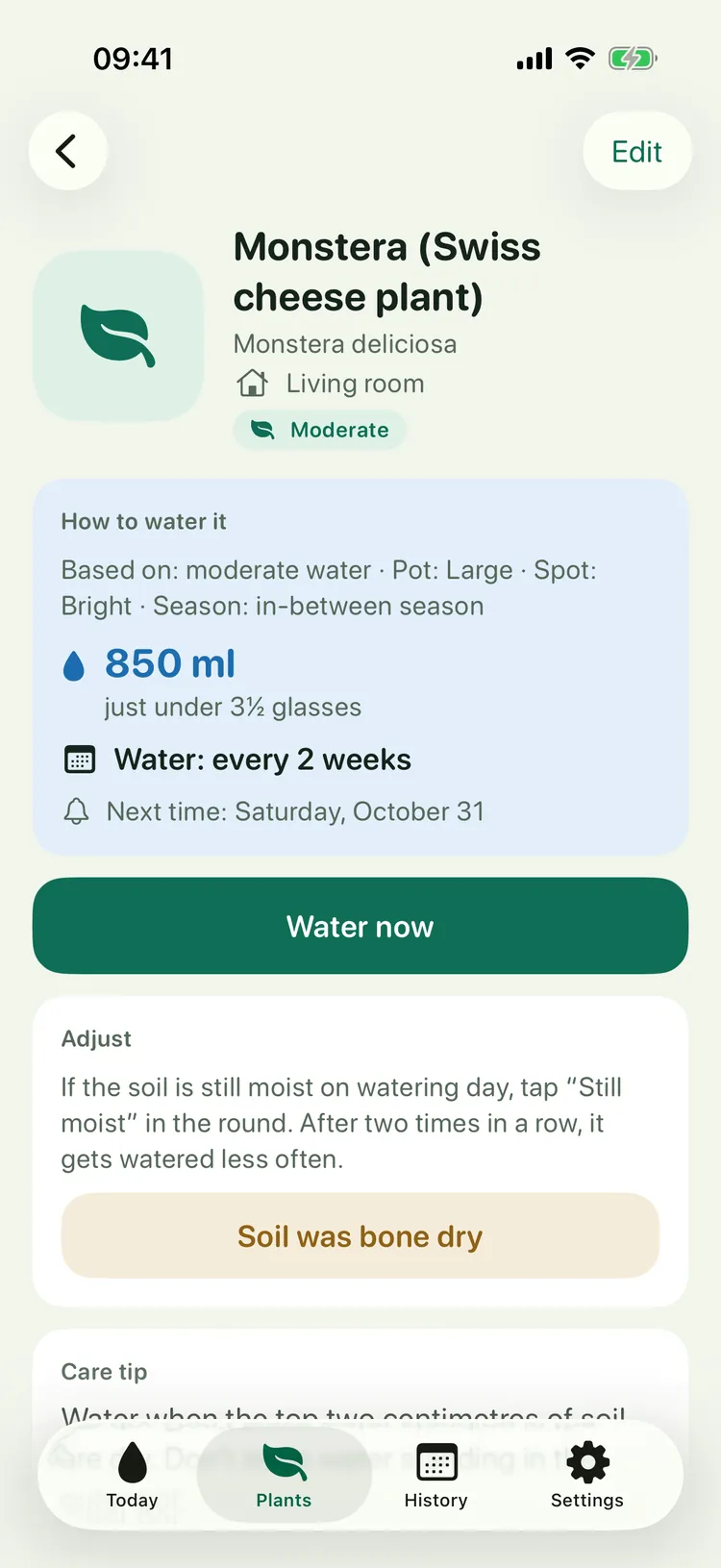
Every plant has its own page showing how Gießtag calculates: base need, pot, spot and season, and from that the amount and rhythm, such as 850 ml every two weeks.
If the soil is still moist on watering day, tap “Still moist”. If that happens twice in a row, the plant gets watered less often from then on, and Gießtag tells you so.
4
Pot size without a tape measure
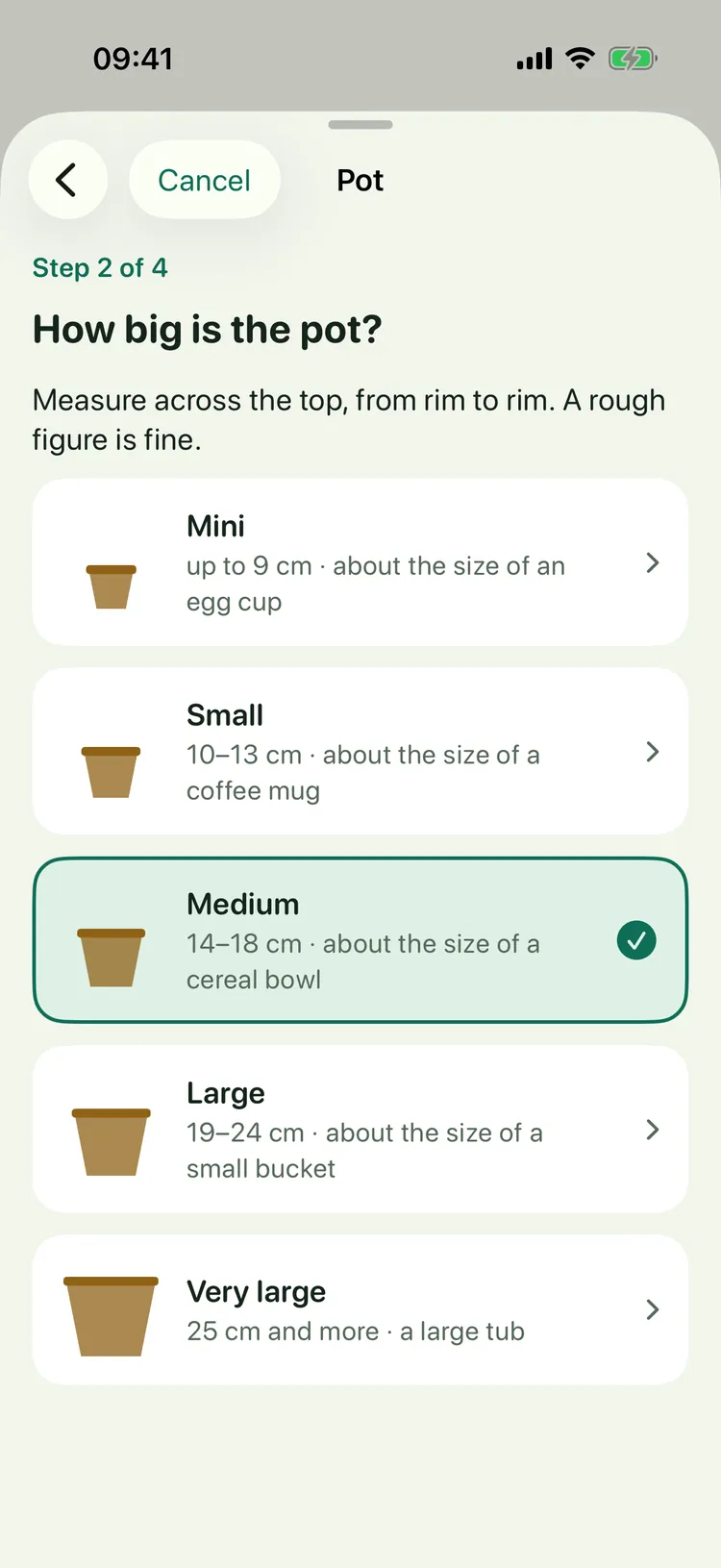
You don’t have to measure the pot. Gießtag compares it with things around the house: an egg cup, a coffee cup, a cereal bowl, a small bucket.
You pick the plant from 62 common houseplants. Don’t know the name? Simply choose by appearance.
5
Always know what’s been watered
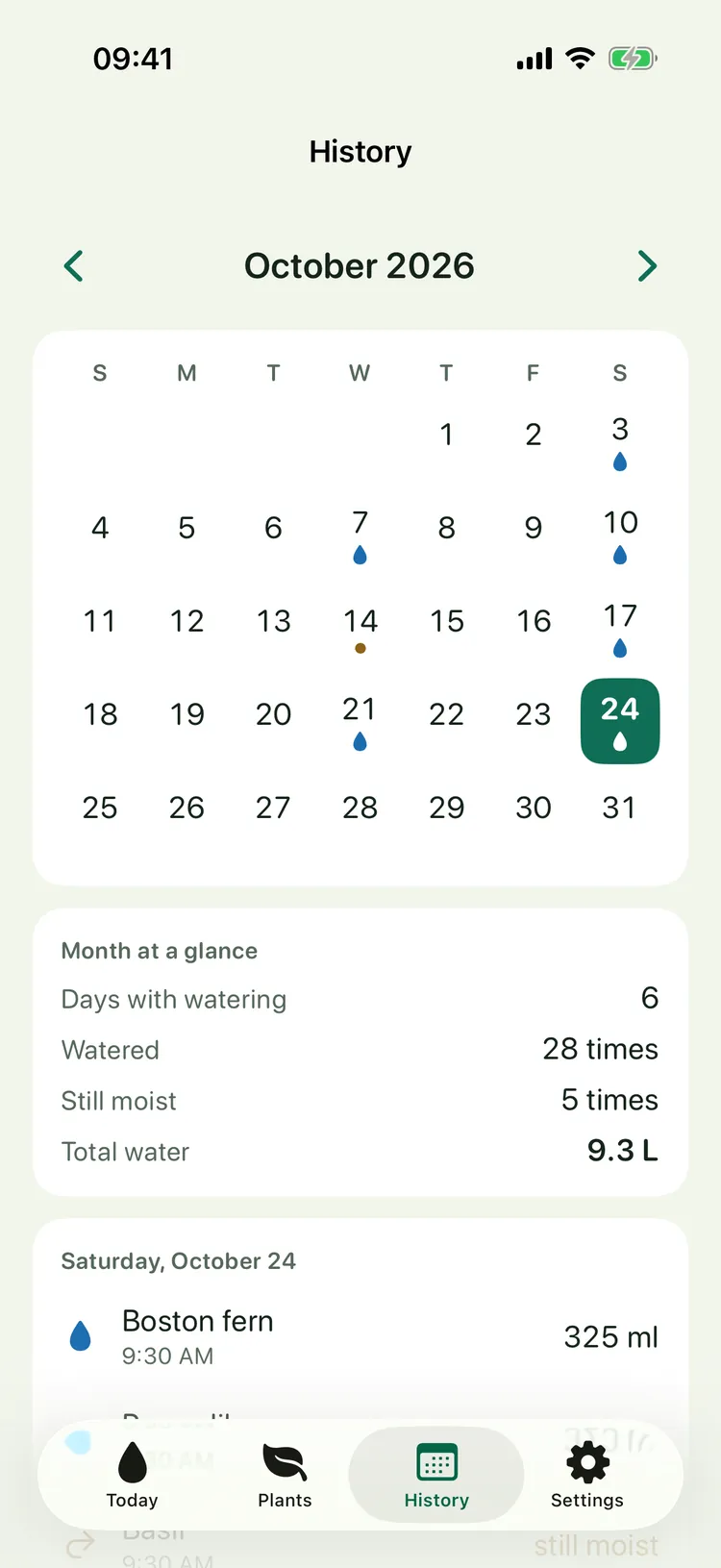
The history shows each month as a calendar. A drop marks the days you watered.
Below is the month at a glance: days with watering, how often you watered, how often the soil was still moist, and the total water.
6
Away? The plan for your neighbors
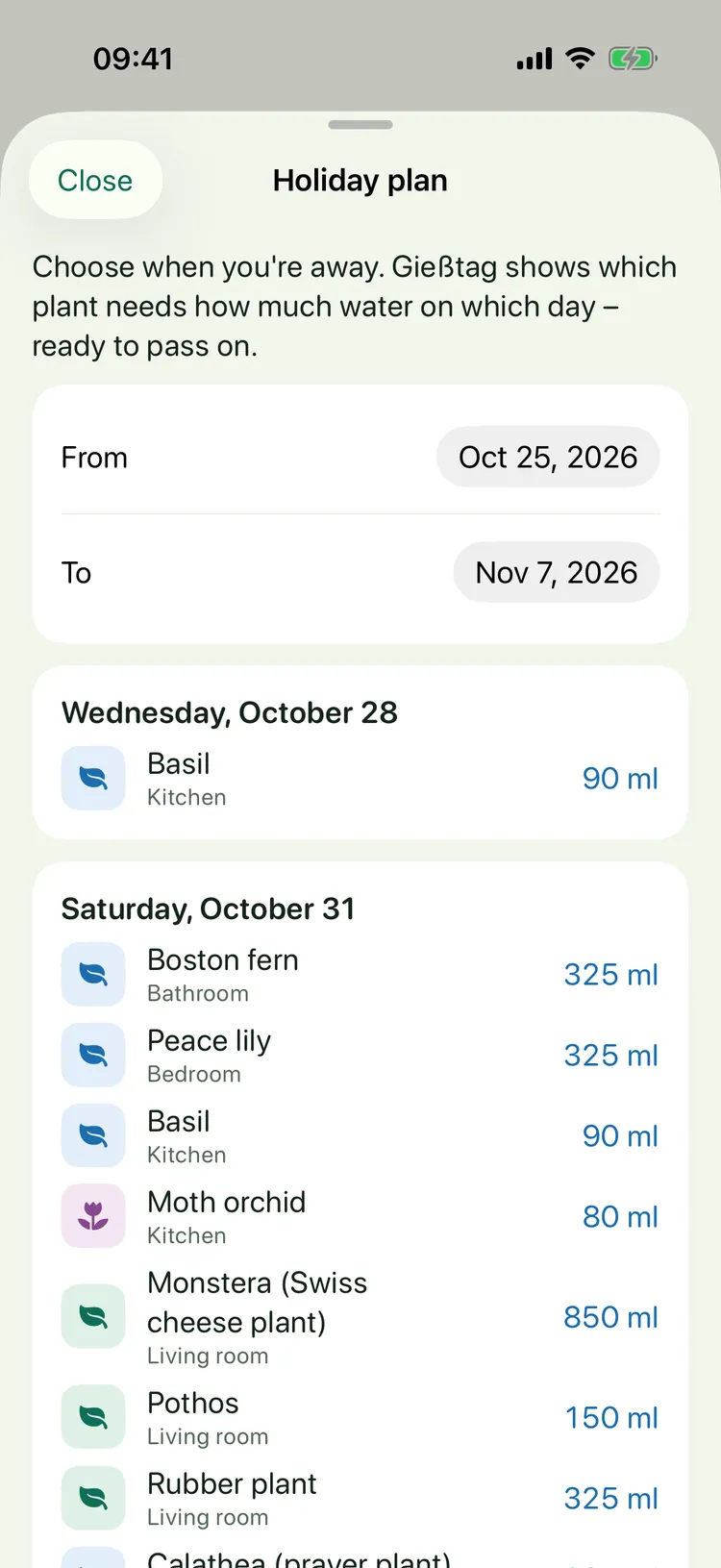
When you’re away, pick the dates. The holiday plan shows which plant needs how much water on which day.
Send the plan as a message to whoever waters for you. Not home on watering day? Simply water early.
The screenshots show the app with sample plants.
The amount in your glass
Nobody measures 325 ml with a watering can. So Gießtag also shows the amount in your own vessel: “about 1¼ glasses” or “just under ½ watering can”. You choose your vessel once, and the app converts every amount to it.
Each plant’s amount comes from its species, pot size, spot and the season. In winter it automatically waters less often. You can set your own amount and rhythm any time.
One day instead of many reminders
Many watering apps remind you of each plant separately, on different days. Gießtag gathers everything on one fixed day of the week. Thirsty plants get a second day each week. If something is still waiting the next day, the app asks once.
Large text, large buttons and plain language make it easy for everyone. Your own photos of your plants, dark mode and iPad are included.
What it costs
For free you can add three plants with all basic features. Gießtag Plus unlocks as many plants as you like and the holiday plan.
| Gießtag | Price |
|---|
| Download, three plants | Free |
| Gießtag Plus yearly, first month free | €4.99 per year |
| Gießtag Plus for good, one-time purchase | €12.99 |
The yearly subscription renews automatically for one year unless you cancel at least 24 hours before it ends in your Apple Account settings. Plants you’ve added always stay usable, even if a subscription ends; only adding more plants and the holiday plan are locked. Prices in the German App Store; other countries see their local price.
Good to know
Gießtag runs on iPhone and iPad with iOS 17 or later, in English and German. The name is German for “watering day”.
The amounts are guidelines based on common houseplant care rules. If the soil still feels moist, “Still moist” is the right answer, and Gießtag adapts.
Help and legal (German)
Help · Privacy policy · Imprint · Terms of use (EULA)
Apple, iPhone, iPad, iOS and App Store are trademarks of Apple Inc., registered in the U.S. and other countries. Gießtag is developed independently and is not affiliated with Apple Inc.