Home·Apps·Promillemeter
One tap on the drink is all it takes. The app tracks you through the evening, estimates your blood alcohol level using the Widmark formula, and works out when you'll be back to 0.0 ‰. It does the same with caffeine — just with a different curve.
One tap per drink — the app does the math for the evening
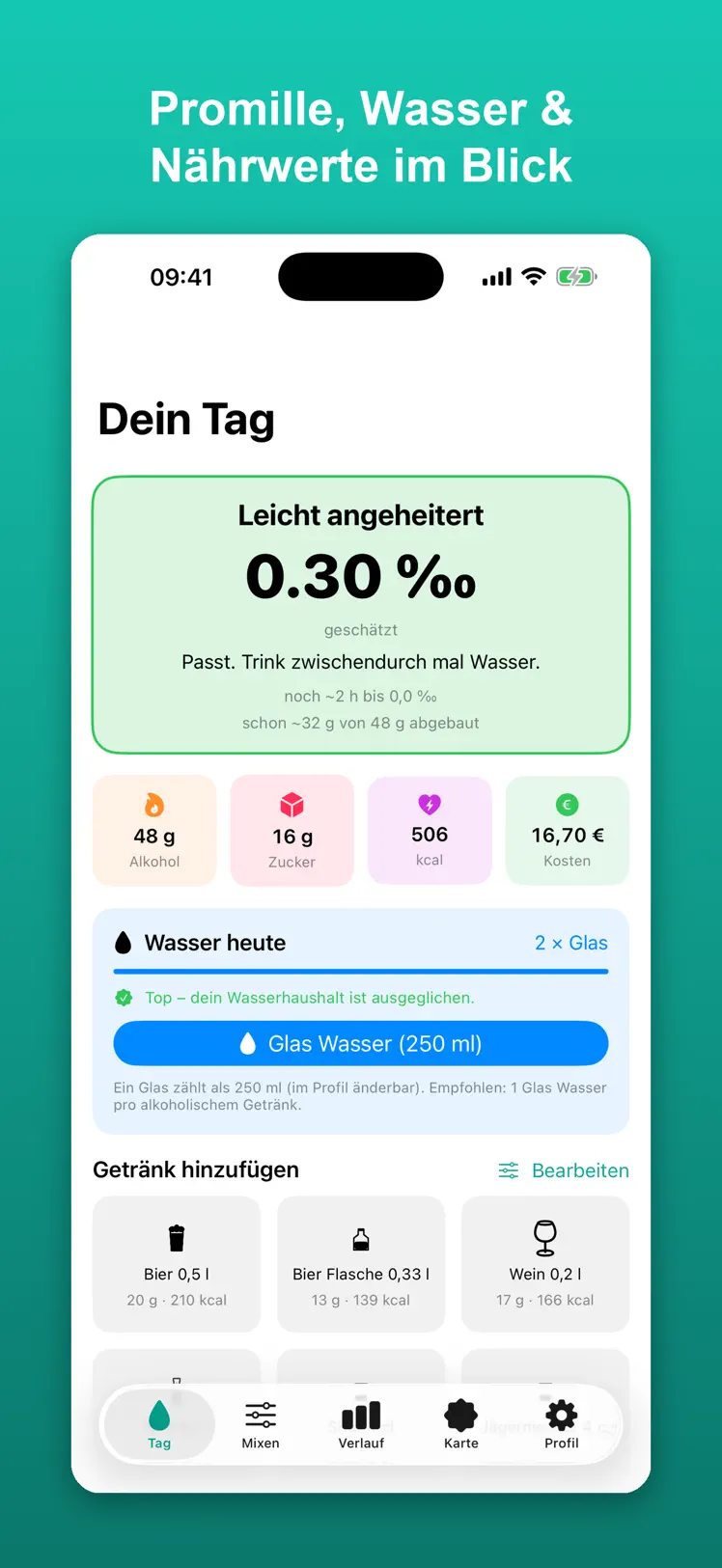
The home screen has fifteen common drinks as tiles: 0.5 l beer, wine spritzer, Aperol Spritz, gin and tonic, espresso, energy drink. Tap it, done — the app remembers what, how much, and above all when.
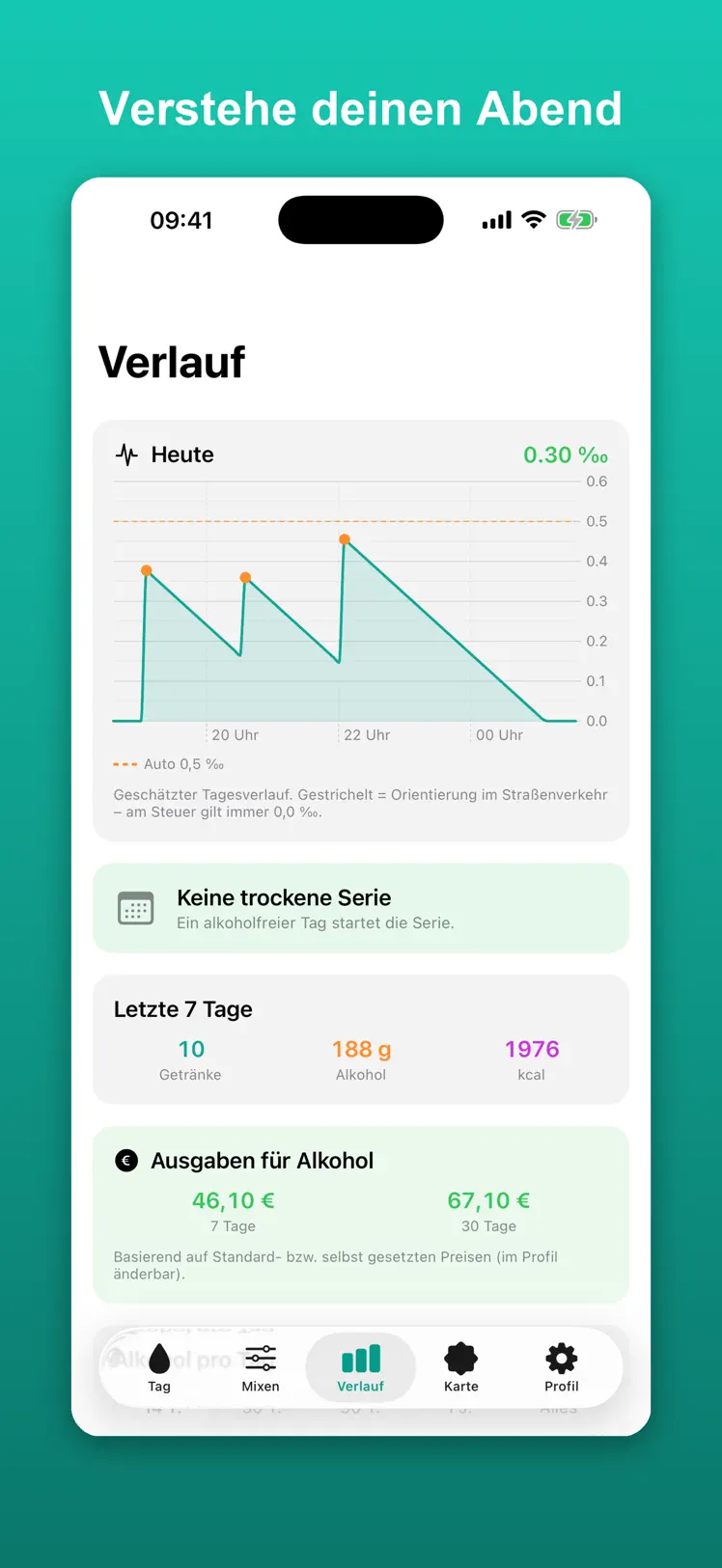
That doesn't produce a single number, but a curve across the evening. That's the difference from a calculator where you re-enter everything: a beer from ten minutes ago isn't fully in your blood yet — the peak is still ahead. The app factors that in, and tells you the time you'll likely be back to 0.0 ‰.
Alongside alcohol, three more numbers run in the background that you'd otherwise never find in one place: caffeine with its roughly five-hour half-life, the calories and sugar you've taken in — and what the evening cost.
On top of that, a recommendation for how much water would help right now, with a gentle reminder. Over the weeks, that builds into a review: how many alcohol-free days, what patterns, what you've spent.
The second, quieter part: caffeine
Caffeine has the same problem, just in reverse. Someone who has their third coffee at 4 p.m. and can't fall asleep at 11 p.m. rarely connects the two. Caffeine has a half-life of about five hours — after seven hours, almost half of it is still there. Nobody works that out in their head.
And there's hardly anywhere to look it up without ending up in a nutrition app with calorie counting and a user account. To make it harder, some drinks bring both at once. A vodka energy drink or an espresso martini contains alcohol and caffeine — and one effect masks the other.
How it works
1
Two details on first launch. The app asks for your weight and whether it should calculate using a male, female or diverse body setting. Both go directly into the blood alcohol formula. You also set how big a glass of water is for you — 250 ml by default. That's all there is to set up, and everything can be changed later in your profile.
2
One tap per drink. The "Your Day" screen has a grid of your drinks at the bottom — fifteen common ones by default, from 0.5 l beer to Aperol Spritz and gin and tonic to espresso and energy drink. Tap it, done. A brief confirmation appears at the bottom, the iPhone gives a small haptic response, and the blood alcohol card above rises.
3
The answer is right there. At the top, you see the estimated value, a status like "All relaxed" or "Noticeably underway", and below it the line that really matters: ~3 h left to 0.0 ‰ · sober around 4:09 AM. Without you having typed in your weight, drink type or the time all over again.
4
Water along the way. The "Water Today" card has a button for one glass. The app calculates how much water alcohol has cost you and reminds you every 45 minutes — at most eight times, and only while there's still alcohol in your blood.
5
The next morning. At 11 a.m., the app asks how the evening went: a hangover rating from 0 to 10, whether you blacked out, plus a note. From several of these reviews, it builds your own patterns — for instance, the value at which things tend to get critical for you.
How the app estimates your blood alcohol level
The calculation uses the Widmark formula, the standard method for estimating blood alcohol concentration. The alcohol in grams comes from the amount, the alcohol by volume, and the density of ethanol (0.789 g/ml). This value is then distributed across your body water — that's what the distribution factor is for:
| Setting | Distribution Factor |
|---|
| Male | 0.68 |
| Female | 0.55 |
| Diverse | 0.615 |
Alcohol breaks down at 0.15 ‰ per hour, steadily and regardless of how much you drank. That's why the app can name a time at which you'll likely be back to 0.0 ‰.
A five-level traffic-light status shows where you stand:
| Range | Status |
|---|
| Below 0.2 ‰ | sober |
| Below 0.5 ‰ | light |
| Below 0.8 ‰ | noticeable |
| Below 1.3 ‰ | high |
| From 1.3 ‰ | very high |
From 1.5 ‰, the app also shows a safety card with a reminder of the emergency number. The daily curve carries two reference lines: 0.5 ‰ — the point at which driving becomes an administrative offense — and 1.6 ‰, the threshold for absolute unfitness to cycle.
Why the value is lower right after drinking than you'd expect
This is where Promillemeter differs from most calculators — and it's the most common point of confusion when you first use it. Other calculators add a drink instantly: tap, and the calculation puts all the alcohol in your blood right away. That's not how the body actually works.
The app therefore spreads absorption over a drinking duration based on the amount. A shot is absorbed quickly; half a liter takes considerably longer:
| Drink | Absorbed over |
|---|
| Shot, 4 cl | about 1.5 minutes |
| Glass of wine or long drink, 0.25 l | about 9 minutes |
| Beer, 0.5 l | about 17.5 minutes |
That's why the number can even briefly drop right after you log a drink: breakdown keeps happening while the new alcohol only arrives gradually. So that this doesn't give you a false sense of safety, the app calculates the time to 0.0 ‰ not from the current value, but from the expected peak — including whatever hasn't reached your blood yet.
Honest about accuracy: the drinking durations come from actual drinking pace observed during development, not from a study. And the Widmark formula knows nothing about food, how you're feeling, medication, liver performance or tolerance. The displayed value can be significantly off in either direction — it's an estimate, not a measurement.
Caffeine: same idea, different curve
The body breaks down alcohol steadily; caffeine, it doesn't. Caffeine halves every five hours: after five hours, half is gone; after ten hours, three quarters. That explains why an afternoon coffee still gets in the way at night.
The app shows how much caffeine is still active and what that means for falling asleep. Below 50 mg, falling asleep tends to work again; caffeine counts as cleared below 10 mg. If you go over 400 mg in a day, the app warns you — that's the European Food Safety Authority's guideline for healthy adults.
The caffeine values built in, per 100 ml:
| Drink | Caffeine per 100 ml |
|---|
| Espresso | 200 mg |
| Drip coffee | 45 mg |
| Cold brew | 45 mg |
| Matcha | 35 mg |
| Energy drink | 32 mg |
| Black tea | 25 mg |
| Mate | 20 mg |
| Green tea | 10 mg |
| Cola and Cola Zero | 10 mg |
| Iced tea | 8 mg |
| Spezi | 5 mg |
Converted to common serving sizes, that means: a 0.25 l can of energy drink brings 80 mg, a 30 ml espresso about 60 mg, a 0.2 l cup of coffee roughly 90 mg, and a 0.33 l bottle of cola just under 33 mg.
And since this regularly causes confusion: tonic water and bitter lemon contain no caffeine — the bitter taste comes from quinine. Ginger ale, ginger beer and wild berry are caffeine-free too.
Alcohol and caffeine are calculated strictly separately throughout. A coffee never shows up in your blood alcohol value, never breaks an alcohol-free streak, and never fills a stamp card. Conversely, caffeine is tracked over a full 24 hours, while the blood alcohol value is tied to a drinking session — so your morning coffee belongs to the caffeine display, not to the night before.
Water: the part people forget in the evening
Alcohol has a diuretic effect. The app calculates 10 ml of water lost per gram of alcohol and shows how much water you're currently short — in whole 250 ml glasses, not abstract milliliters. Reminders come every 45 minutes, but at most eight times per evening, and only while there's still alcohol in your blood. After that, it stays quiet.
What else the app can do
- Daily totals for alcohol in grams, sugar, calories and cost — the numbers you'd want to know the morning after. A half-liter of beer has 210 kcal, a vodka energy drink about 200 kcal and 28 g of sugar.
- 90 built-in drinks, fifteen of which are visible by default; you can show the rest as needed.
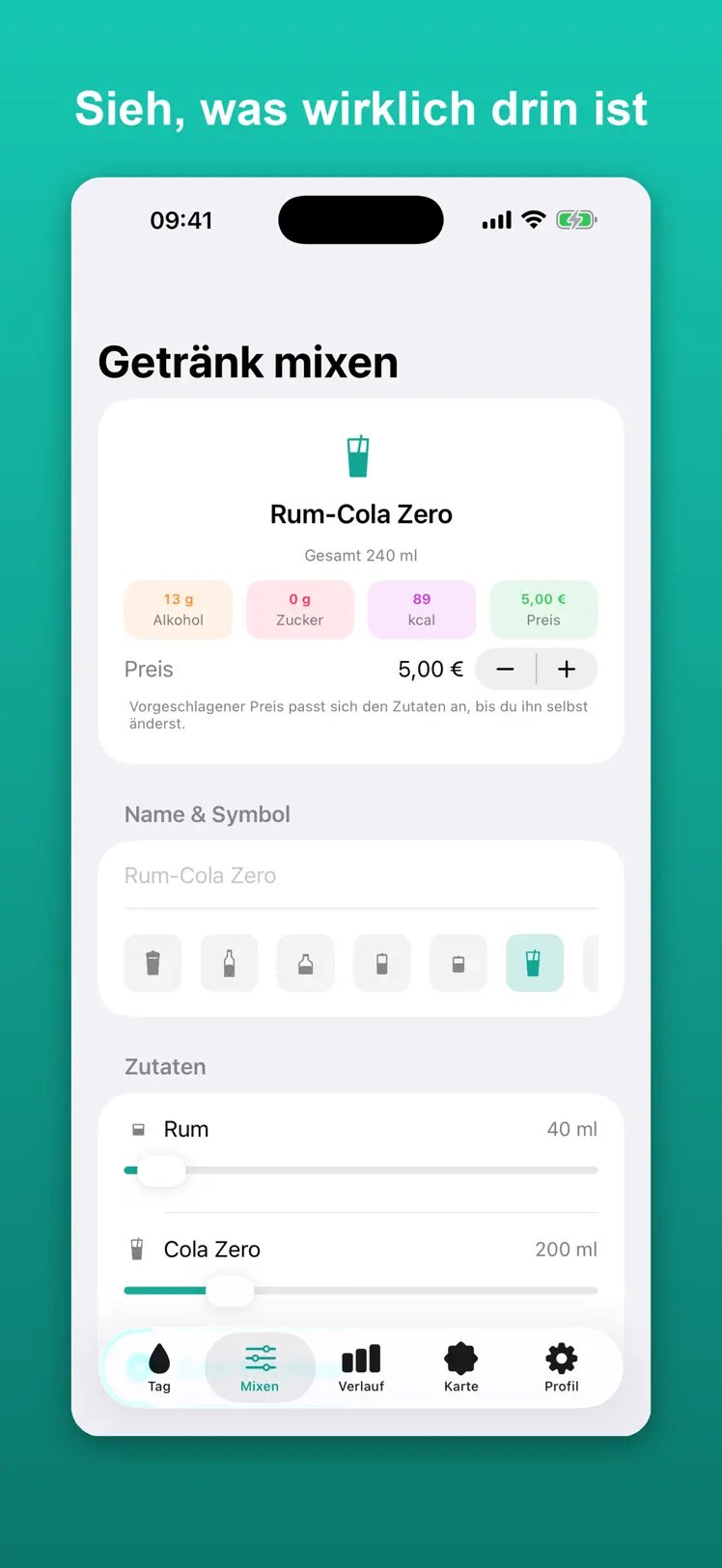
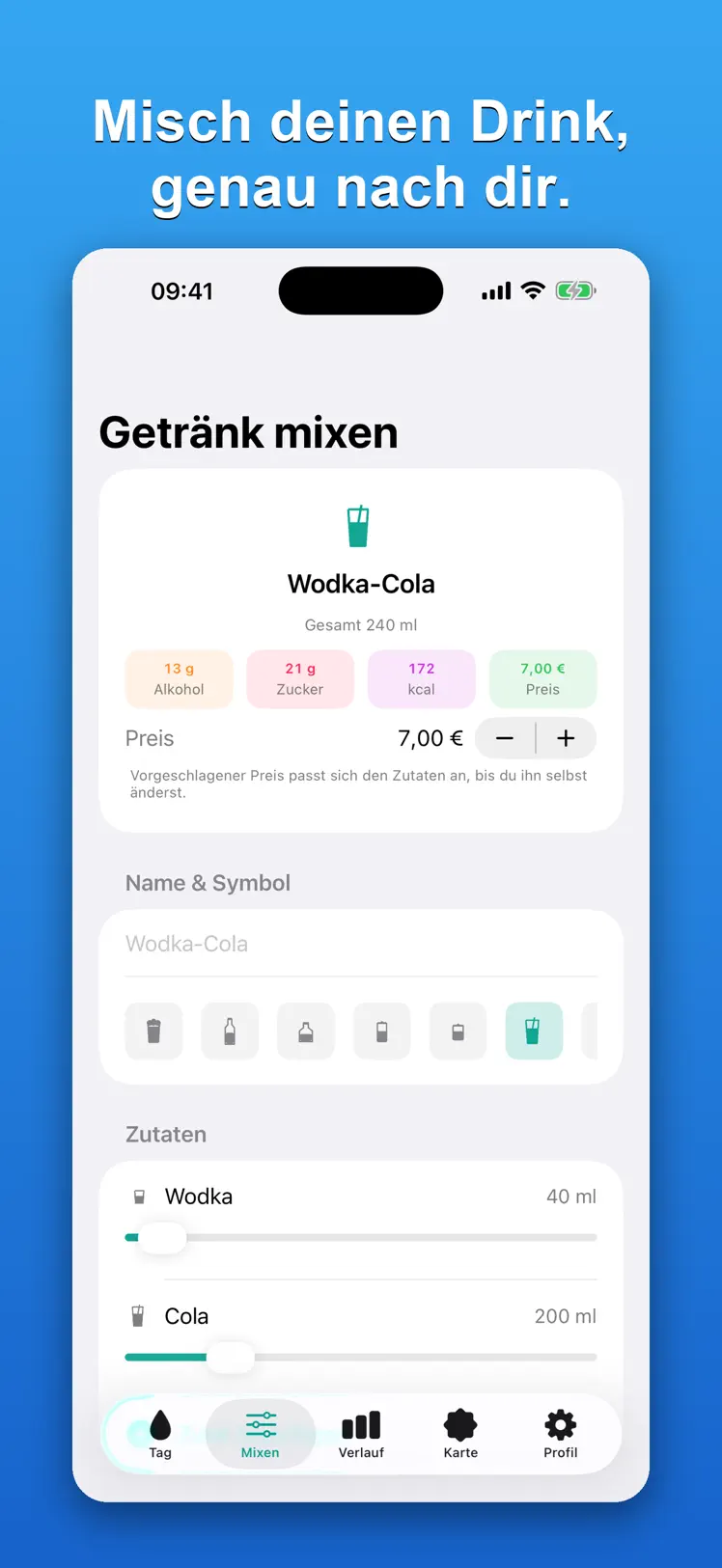
- Mixer: build your own drinks from 71 ingredients and watch alcohol, sugar, calories and caffeine change live as you go. Finished creations can be saved as your own tile.
- History with the evening's blood alcohol curve, your alcohol-free streak, weekly figures, spending, and a bar chart over 14, 30 or 90 days, a year, or all time — switchable between alcohol and caffeine.
- Breathalyzer comparison: if you have your own test device, enter the measured value. After a few measurements, the app shows how far your device runs above or below its estimate on average.
- Reviews and your own patterns: hangover, blackout and nausea can be logged after the fact with a time. From this, insights emerge like "blackouts have tended to start for you around 1.45 ‰" — your own history, not a generic table.
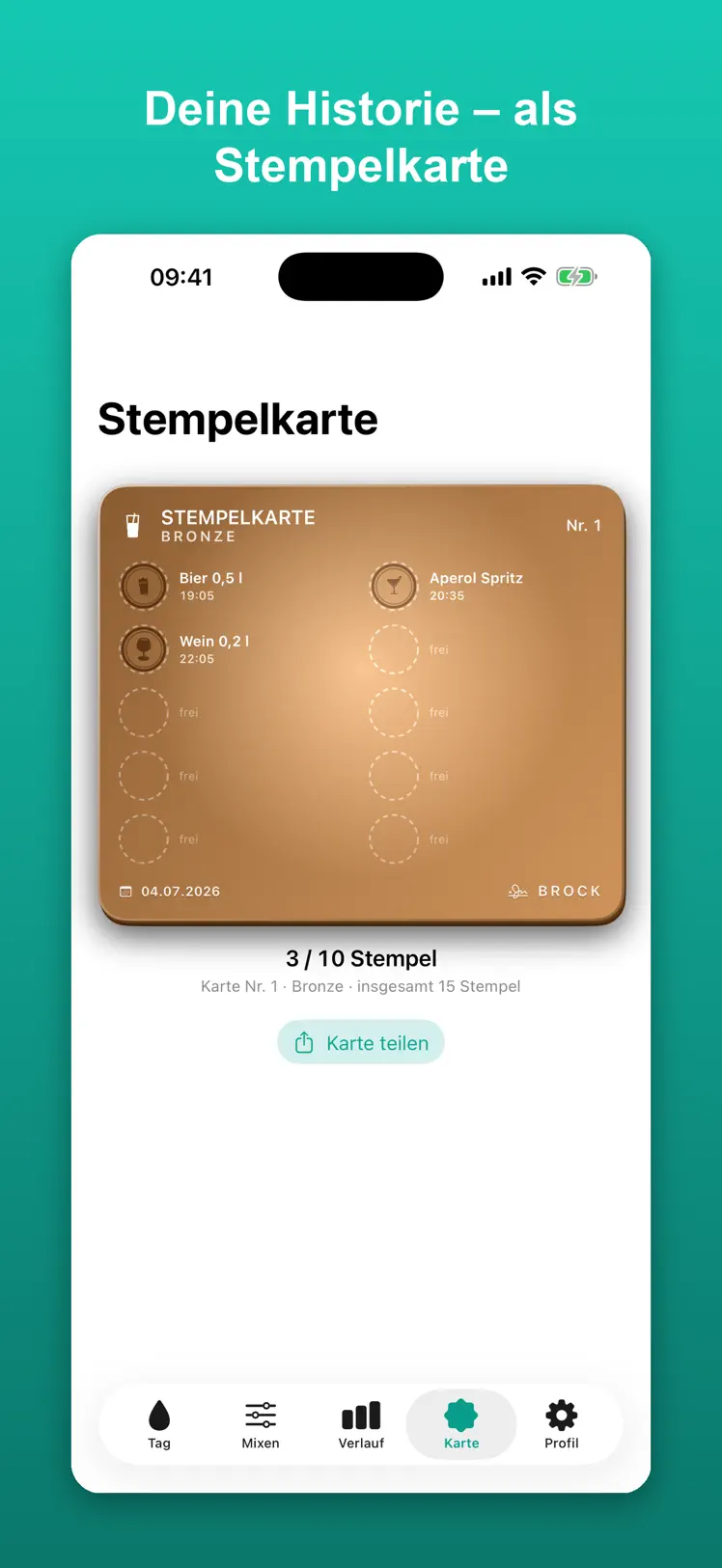
- Stamp card: every ten drinks in a session fill a card, which you can tilt using the motion sensor and share as an image.
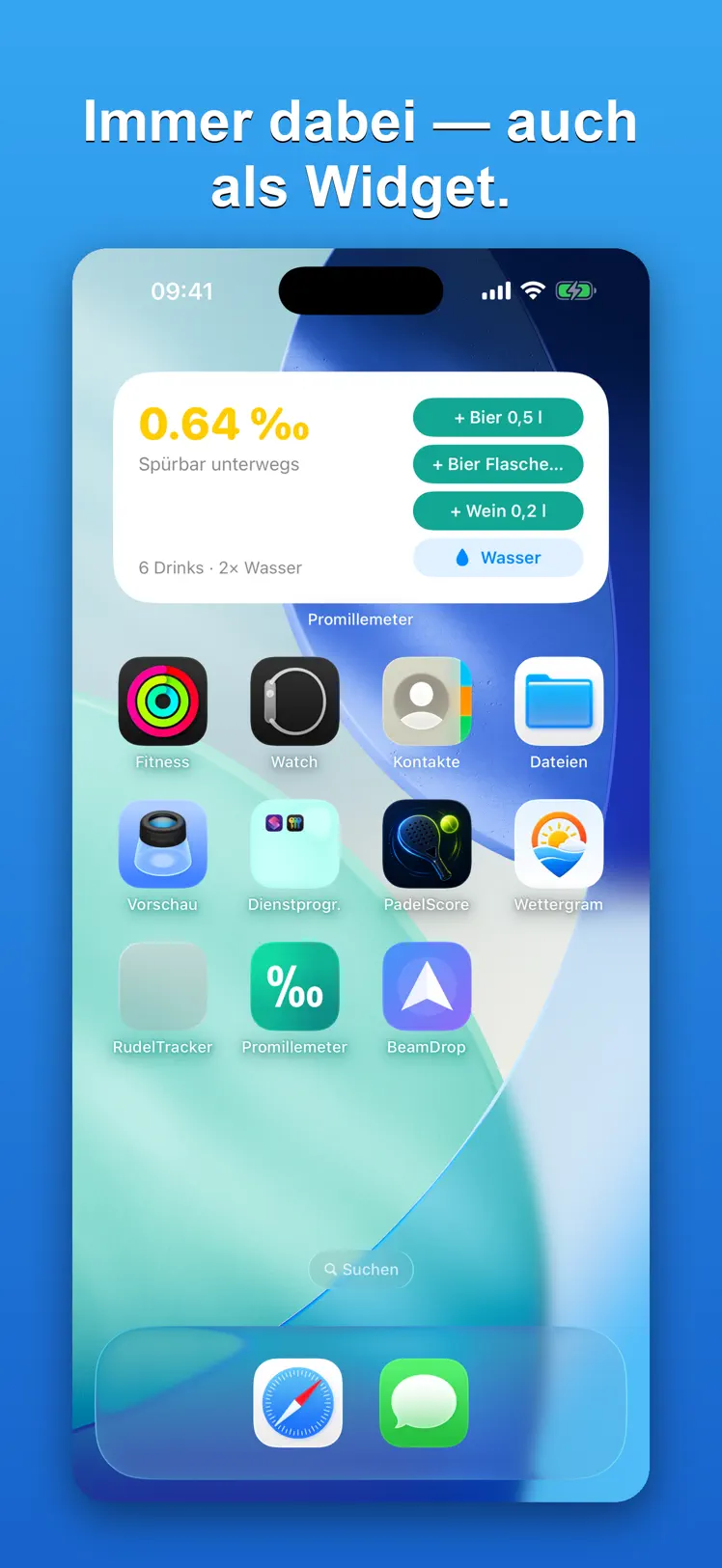
- Widgets in five sizes for your Home Screen and Lock Screen; the Home Screen widgets have buttons that let you log a drink without opening the app.
- Apple Health: if you choose to, the app writes drink count, calories and sugar there. It doesn't read anything from Health and doesn't delete anything there.
- Custom prices per drink, with a choice of 17 currencies — €4.50 for a large beer, €7.00 for a vodka cola and €2.80 for a coffee are the defaults.
- Appearance in light, dark or system mode, plus an alternative app icon.
What this app is not for
Promillemeter is not a measuring device. The displayed value is a rough estimate based on Widmark and depends on many factors no formula can know — food, how you're feeling, medication, tolerance.
Never use it as a basis for driving. Behind the wheel, only 0.0 ‰ applies. The app does not grant permission to drive and is not calibrated or officially certified. No liability is accepted for decisions, actions or damages of any kind taken on its basis — in particular participation in road traffic or operating machinery. Use is at your own responsibility.
The app does not replace medical advice, and the sugar and calorie figures are rounded reference values for common products, not official nutritional data. It is intended for adults and is rated 17+ on the App Store. Excessive alcohol consumption is harmful to your health.
Deliberately missing on the technical side: a file export, syncing between devices, and versions for iPad, Apple Watch or Mac. The app runs on iPhone only.
What sets this app apart
Everything stays on your iPhone
What someone drinks and when is among the most sensitive information an everyday app can handle. That's why every entry stays exclusively on your device — the app works completely without an internet connection.
Nothing to buy
The app is completely free. Every feature on this page is available from the very first second.
Alcohol and caffeine in one app, cleanly separated
Two separate apps would have a real problem: a vodka energy drink or an espresso martini contains both at once and would have been counted twice. Here, every drink feeds into both calculations without either one bleeding into the other.
No competition around drinking
There's no leaderboard, no ranking, and no reward for drinking more. The only playful touch is the stamp card — and it deliberately comes to an end: after the sixth card, a skull appears with "Stop", and the app doesn't start any more after that.
The app makes its own uncertainty visible
Instead of claiming precision, it invites you to check its work: enter your breathalyzer readings, and it shows you in black and white how far off it is.
What it costs
The app is completely free. Every feature on this page is available from the very first second.
The app runs on iPhone from iOS 16; the widgets require iOS 17. The interface is available in 22 languages. In Germany, the app is called Promillemeter; in every other language, it's called Permille — including on the home screen.
Your data stays on your iPhone
Drinks, values, nutritional data, cost, body details, reviews and measured values are stored exclusively on your iPhone. Full details are in the Privacy Policy.
The app includes drinks from well-known brands so the nutritional values are accurate. Promillemeter has no affiliation with any of these manufacturers; all trademarks belong to their respective owners. The values come from publicly available manufacturer information.