Home·Apps·Tobacor
A humidor delivers on its promise when three things are right: a properly finished seasoning, a hygrometer you can trust, and a humidifier that gets refilled before it runs dry. Tobacor takes care of all three.
A tool for the box
Tobacor is a care tool. It guides you through the first setup, calibrates your hygrometer, records your readings and tells you which task is up next — refilling the humidifier, checking the lid, cleaning the inside, the salt test.
Collection lists, ratings and tasting notes are not part of it. The app concentrates on the climate inside the humidor, and it works with any humidor, no matter who made it.
How it works
iPhone
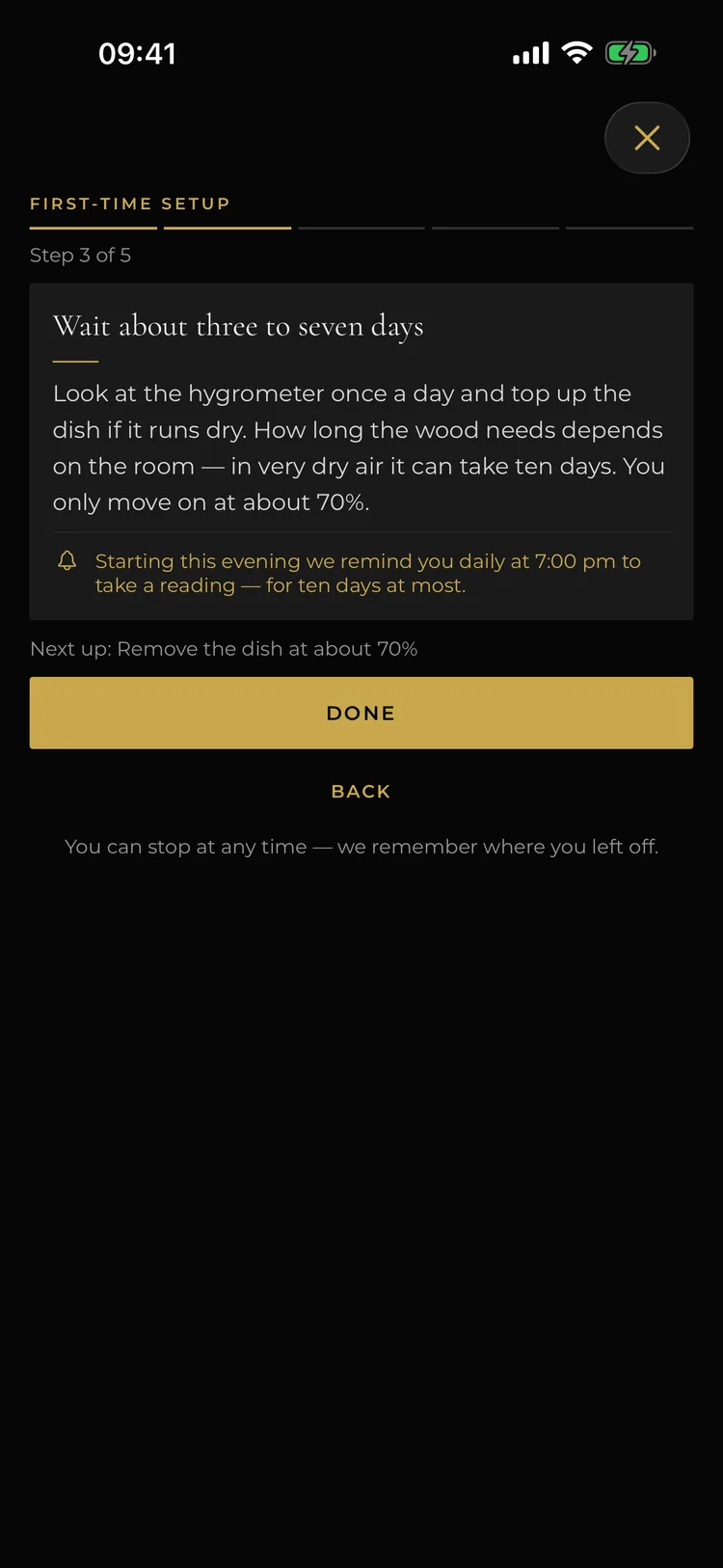
Five steps from wiping out the inside to the humidifier in place. Each step says what to do, how long it takes and how you know it is time to move on.
You can stop at any point. The app remembers where you are and reminds you to take a reading at the time you set.
iPhone
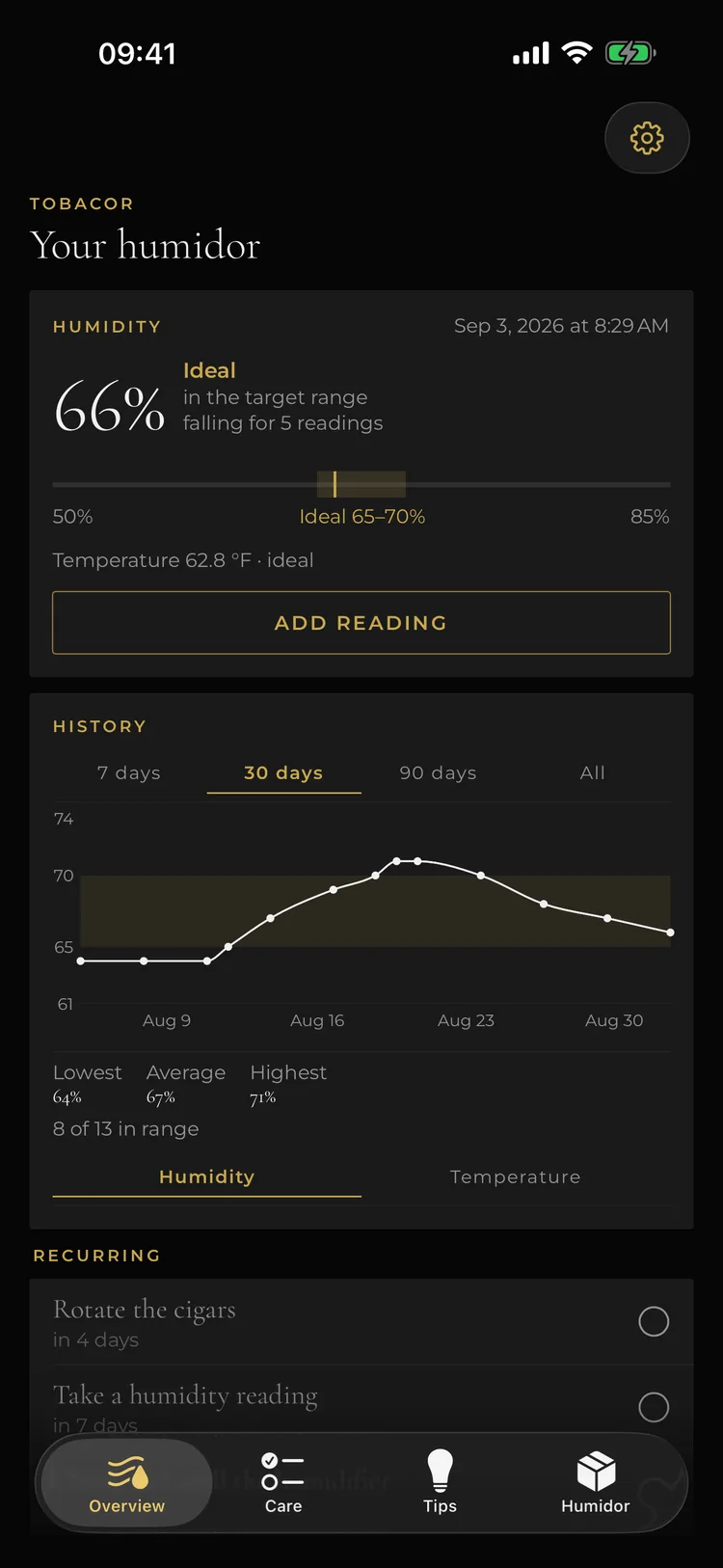
At the top sits the current value with its rating: in range, above or below — and whether it is falling. Below that the temperature and the history of the last few weeks.
One tap on “Add reading” and the next measurement is recorded, with your hygrometer's correction already applied.
iPhone
3
The history says more than one number
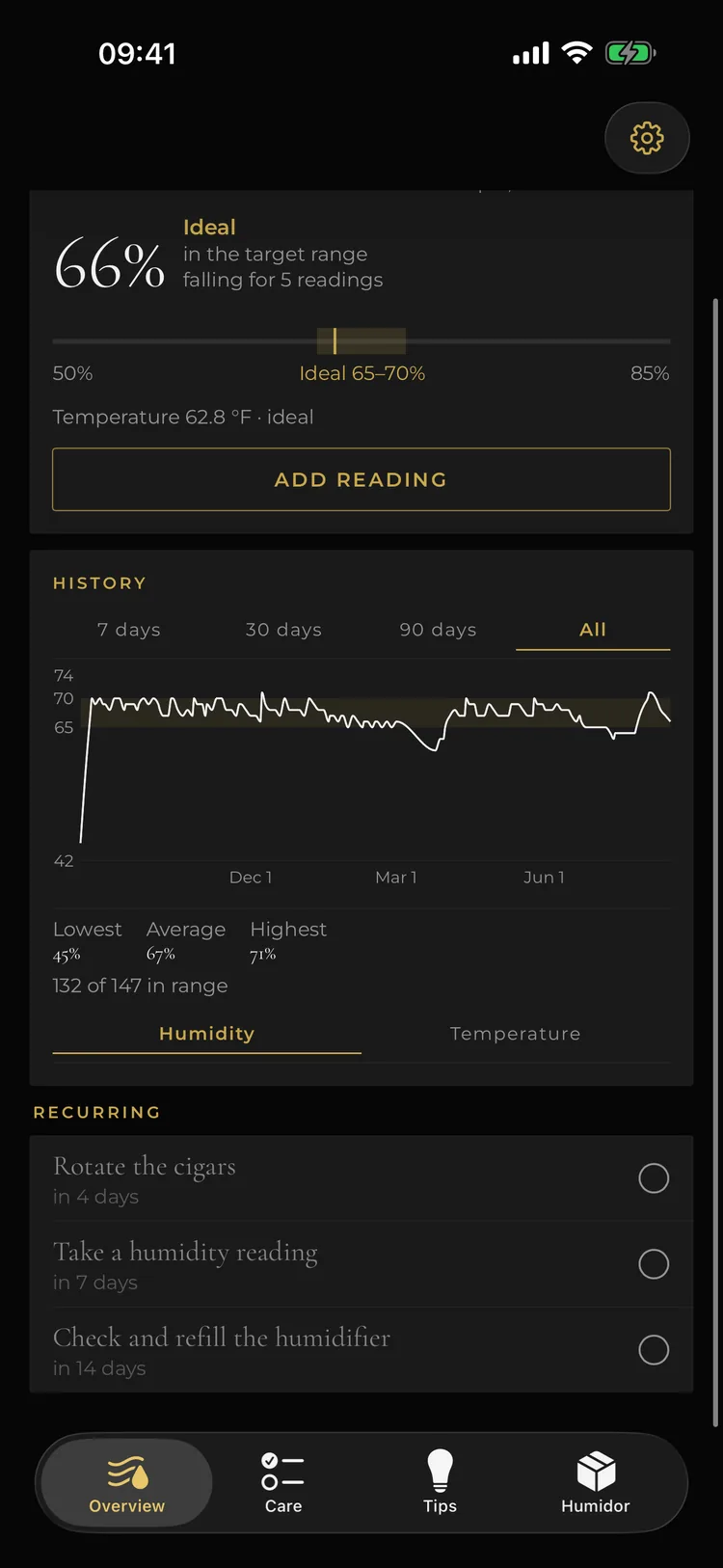
Seven days, thirty, ninety or everything: the curve shows how stable your humidor really is. Below it the lowest, average and highest value, and how many readings were in range.
One tap switches between humidity and temperature.
iPhone
4
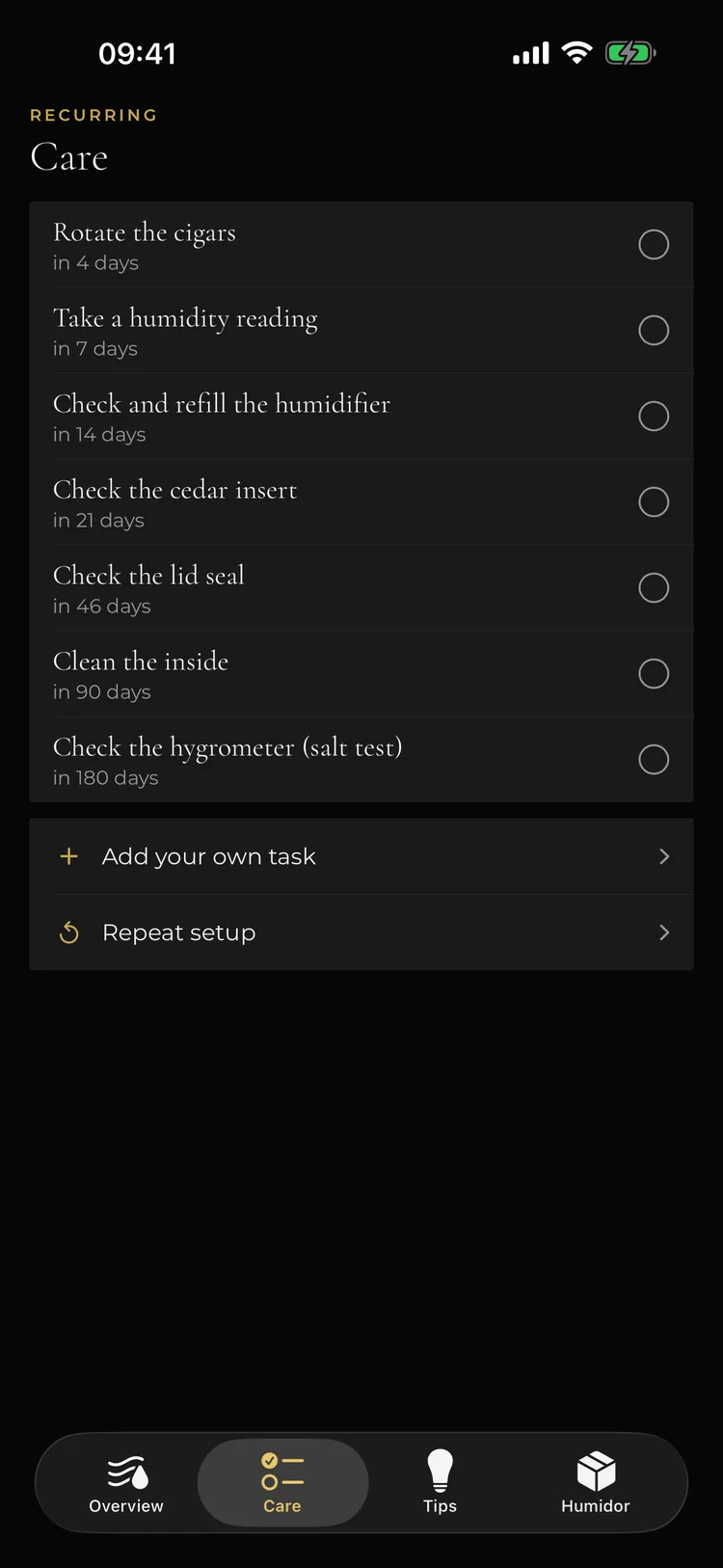
Each task at its own time
Rotating the cigars, taking a reading, refilling the humidifier, checking the cedar and the lid, cleaning the inside, the salt test: each task has its own interval and appears in the list with its due date.
You can add your own tasks and run the setup again whenever you like.
iPhone
5
Answers when you need them
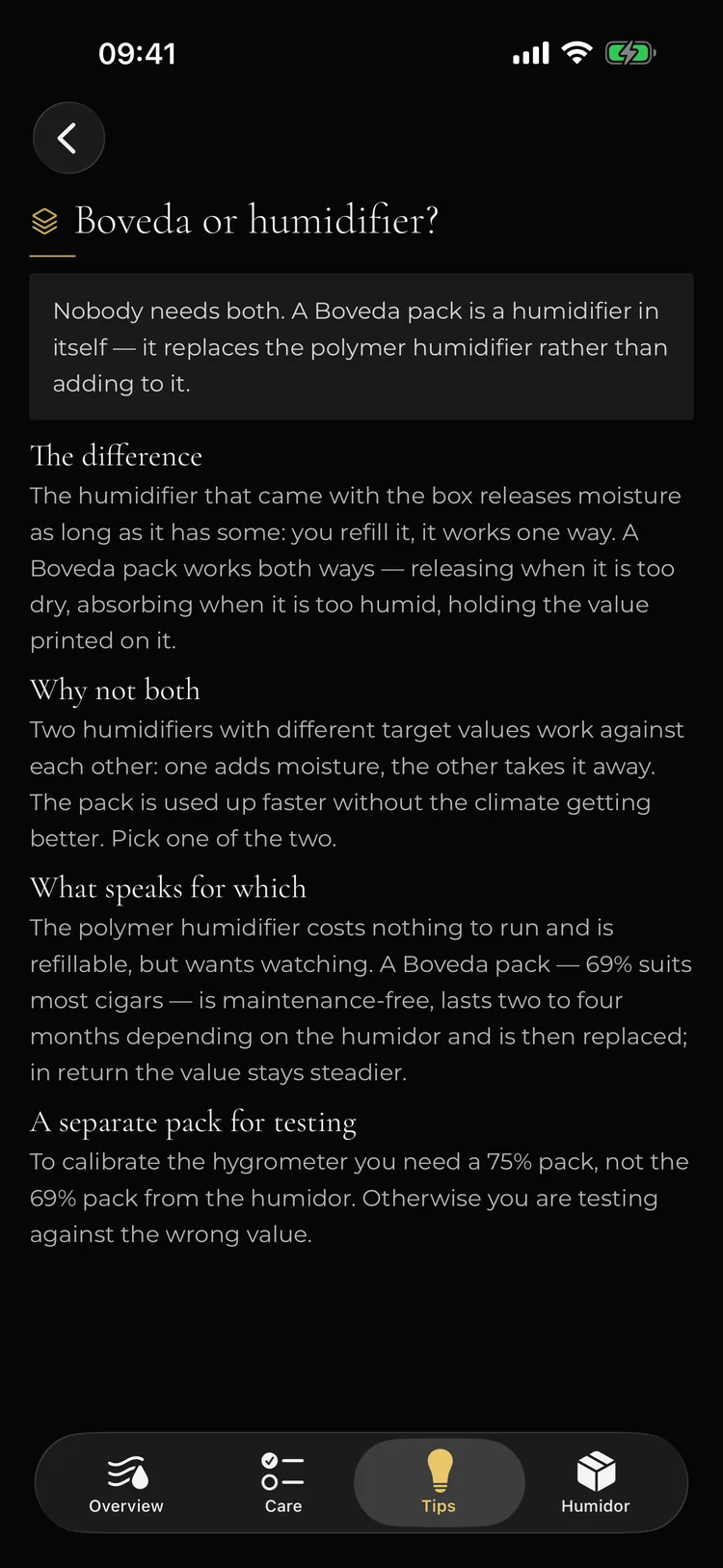
Too humid, too dry, analog or digital, Boveda or humidifier: short answers to the questions that actually come up during care.
Everything can be read offline — even when the humidor lives in the basement.
The screenshots show the app with sample readings.
Calibrate once, then the readings are right
Analog hygrometers can be off by up to five points. The salt test tells you how far yours is off: the hygrometer sits for eight hours in a sealed container with damp table salt, which settles at 75 percent. Whatever the hygrometer shows instead is its offset.
You enter it once. From then on Tobacor applies it to every reading instead of you doing the arithmetic. You read 66, what gets saved is 71 — and that is shown before you save, so a corrected value never appears without you noticing.
Seasoning without guesswork
A new humidor has to saturate its wood with moisture before it can take cigars. Tobacor walks you through this in five steps, each with its target value, its duration and what comes next.
Soaking the humidifier has its own timer: ten to fifteen minutes, not a second longer, or the humidifier bursts. For the full walkthrough, see our guide on seasoning a humidor.
When the curve stalls
During seasoning the app reads along with your measurements. If the humidity is rising, you see it in the curve. If it stands still for three days, the app says so — and that it is usually a dish that has run dry or a lid that does not seal, not a matter of waiting longer.
Temperature first, then water
The most common mistake in humidor care: the humidity drops and you re-soak right away. Often all that happened is the room got warmer, and warmer air shows a lower relative humidity with the same amount of water in it.
If you enter the temperature too, Tobacor puts both side by side: “4 points lower — but also 4 °C warmer.” That tells you when there is nothing to correct.
Reminders that never pile up
Reading, humidifier, cleaning, hygrometer check — each task comes at its own time. The dates are staggered so two are never due on the same day.
You set the intervals and the time of day. If you care for your humidor differently, add your own tasks.
History as an early warning
The history runs from seven days up to a full year. It shows how often you were in the 65 to 70 percent target range and whether the value has been falling across several readings.
That is the early sign of a humidifier slowly running dry — long before the value slips out of range. Why this range is the right one is explained in our guide on humidity in a humidor.
Advice instead of forum threads
What to do when it is too humid? Too dry? Analog or digital? Do you still need the supplied humidifier next to a two-way pack? The app gives short, clear answers plus four in-depth articles. All of it can be read offline.
What it costs
Nothing. Tobacor is completely free: no in-app purchases, no subscription, no feature behind a paywall.
| Detail | Value |
|---|
| Price | Free |
| In-app purchases | None |
| Devices | iPhone & iPad |
| Minimum version | iOS 17 |
| Languages | 6 |
| Age rating | 17+ |
What the app is not for
Tobacor is not a cigar journal. There is no collection list, no ratings and no tasting notes. The app also measures nothing itself: it works with the readings you take from your hygrometer.
The care advice comes from practice and does not replace the instructions from the maker of your humidor.
Your readings stay with you
All readings, tasks and settings live on your device. The app never opens an internet connection on its own, and its App Store listing states “Data Not Collected.”
Apple, iPhone, iPad, iOS and App Store are trademarks of Apple Inc., registered in the U.S. and other countries. Tobacor is developed independently and is not affiliated with Apple Inc. Boveda is a trademark of Boveda Inc.