Home Products Apps About Contact Instructions
DE EN
Wischy app icon

App · Photos · Android

Wischy for Android

Clean up your gallery one photo at a time: swipe left to sort out, right to keep, up for a favorite. Nothing is deleted until you say so.

Get it on Google Play Download on the App Store

Wischy is also available for Android: swipe left or right — that is the whole decision. How the app works in detail is described on the main page of the app — this page is about the Android version.

How it works

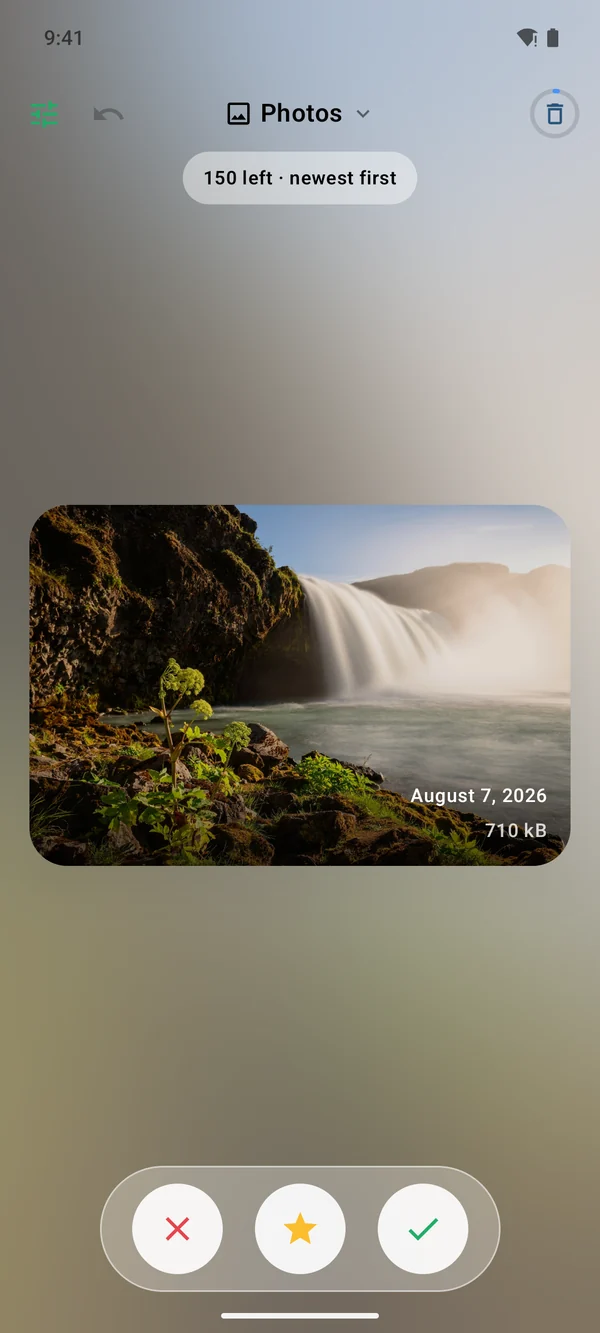
  • Swipe left to sort a photo out, swipe right to keep it, swipe up to set the favorite star.
  • Undo takes back your last decision; shaking does the same. If you swipe away a favorite, the app asks first.
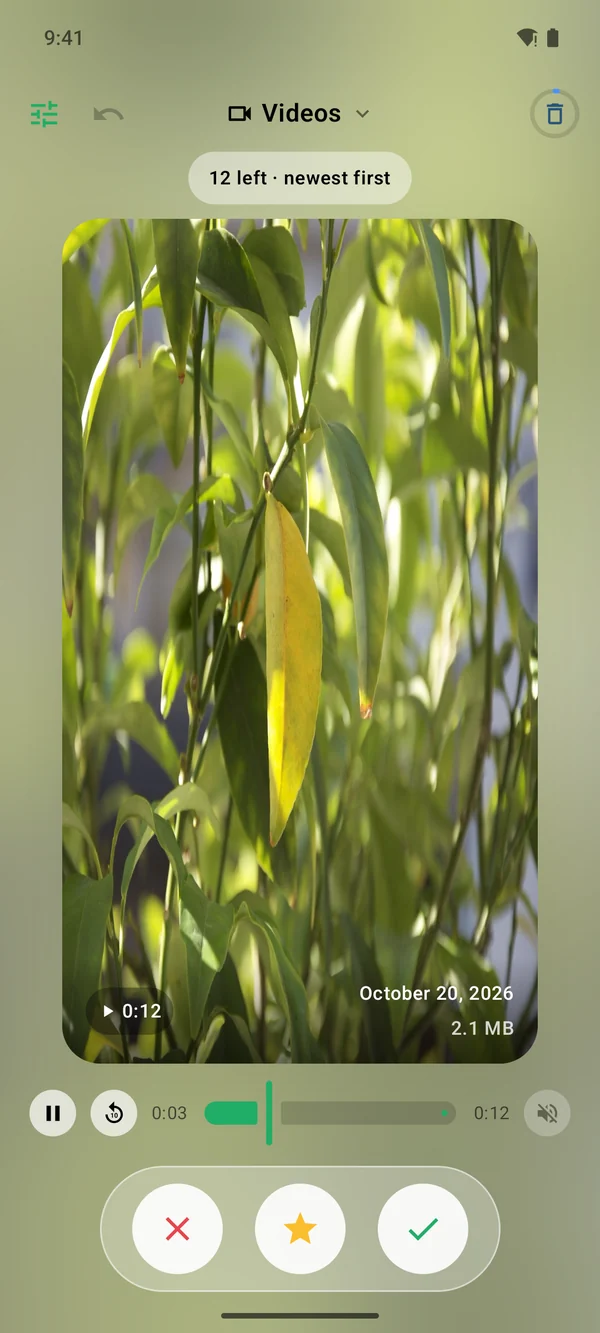
  • Videos play right on the card, with sound and a scrubber — a still frame won’t tell you whether the shot is blurry.

Nothing is deleted until you say so

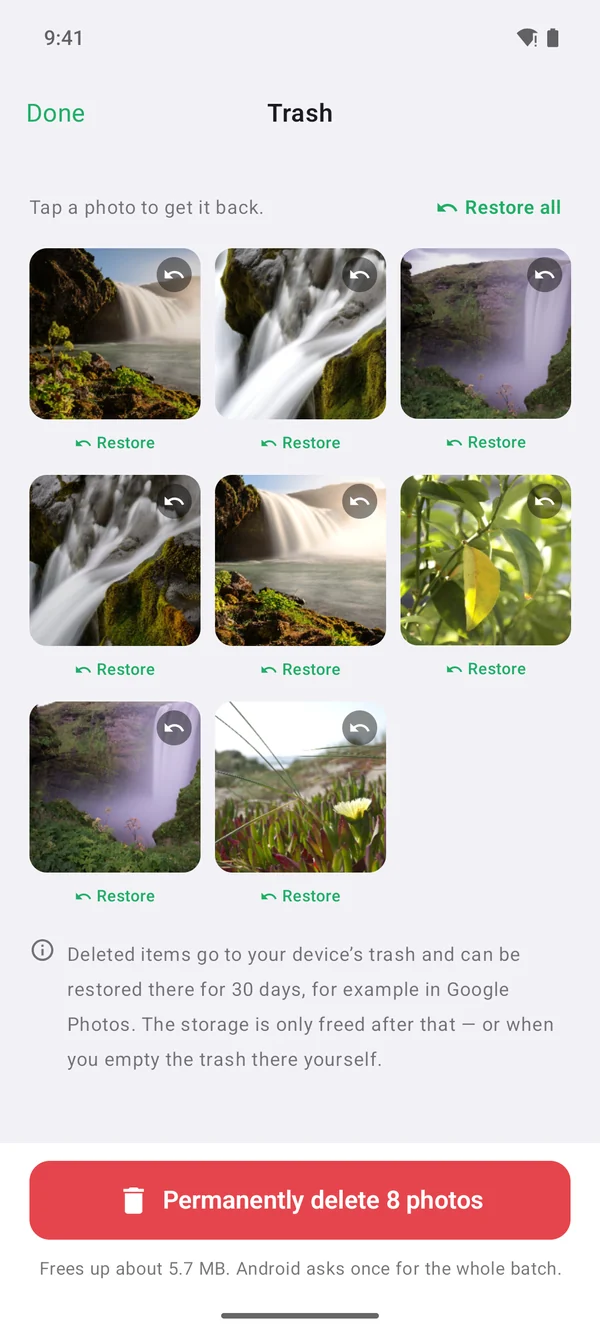
Sorted-out items only go to the app’s own trash. Tap any of them to bring it back. Only when you say so is the whole batch deleted at once — and Android asks you once, not for every single photo.

Clean up on purpose

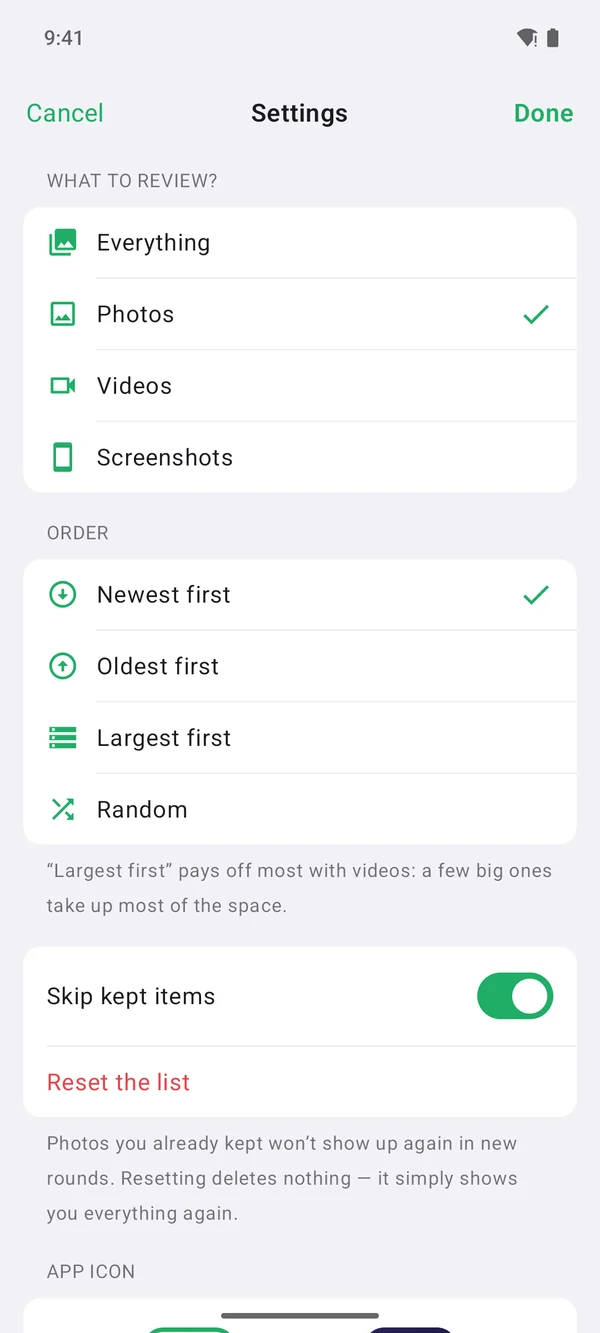
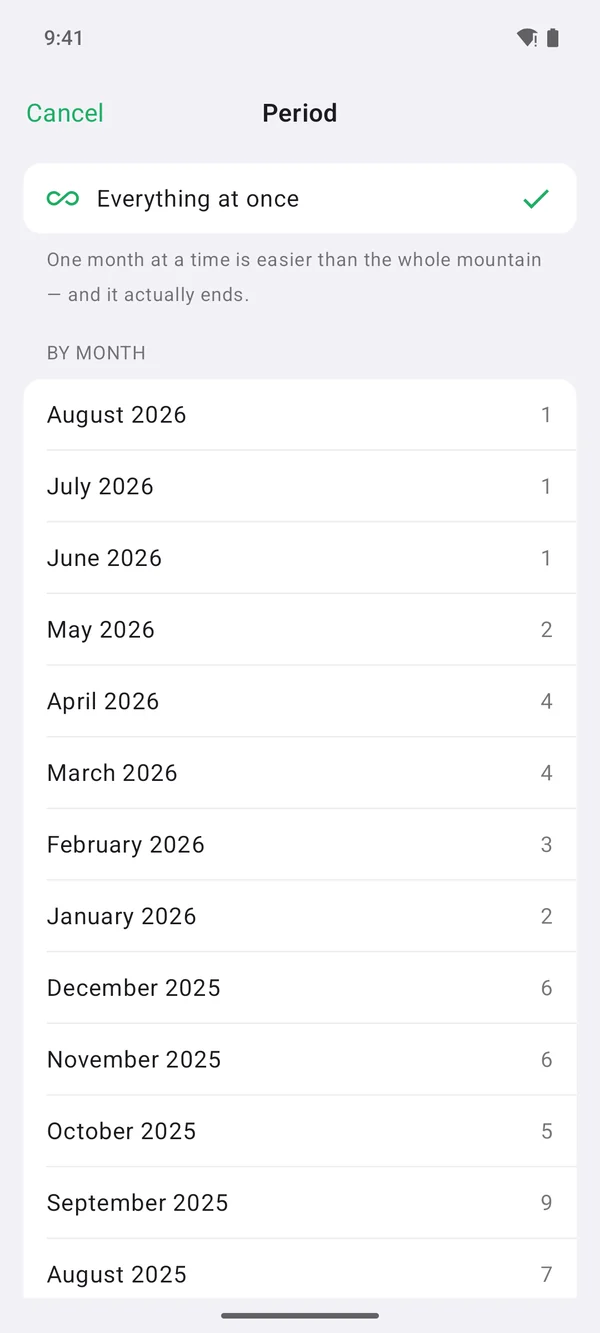
Go through only videos, only screenshots — or everything. Sort by date or by file size: the ten biggest videos often take up half of the used storage. And instead of the whole mountain, take on a single month, which is manageable and actually gets finished.

When the space is freed

Deleted items stay in your device’s trash for 30 days, for example in Google Photos. Only then is the space freed — or right away if you empty the trash there yourself. Wischy tells you so instead of leaving you guessing.

Requirements

Wischy runs on Android phones with Android 11 or later, is free on Google Play and available in 32 languages. Questions and suggestions: kontakt@brockdesign.de.


A look at the Android app

Wischy for Android: photo card with the buttons sort out, favorite and keep Wischy for Android: video playing right on the card, with a scrubber Wischy for Android: trash with restore and the button for deleting for good Wischy for Android: settings with photos, videos and screenshots and the sort order Wischy for Android: time range with the individual months to choose from

Tap a screenshot to enlarge it

Get it on Google Play Download on the App Store

Frequently Asked Questions

Which Android version does Wischy need?

Android 11 or later. Only from this version on can Android delete sorted-out photos together in one step. You install the app for free from Google Play.

Is Wischy also available for iPhone?

Yes, for iPhone on the App Store. The Android version is built after the iPhone app.

When is a sorted-out photo actually deleted?

Only when you say so. Until then it sits in the app’s own trash, and you bring it back with a tap. The whole batch is then deleted at once, and Android asks you once.

When is the storage space freed?

Deleted items stay in your device’s trash for 30 days, for example in Google Photos. Only then is the space freed – or right away if you empty the trash there yourself.

More Apps

All Apps at a Glance